42
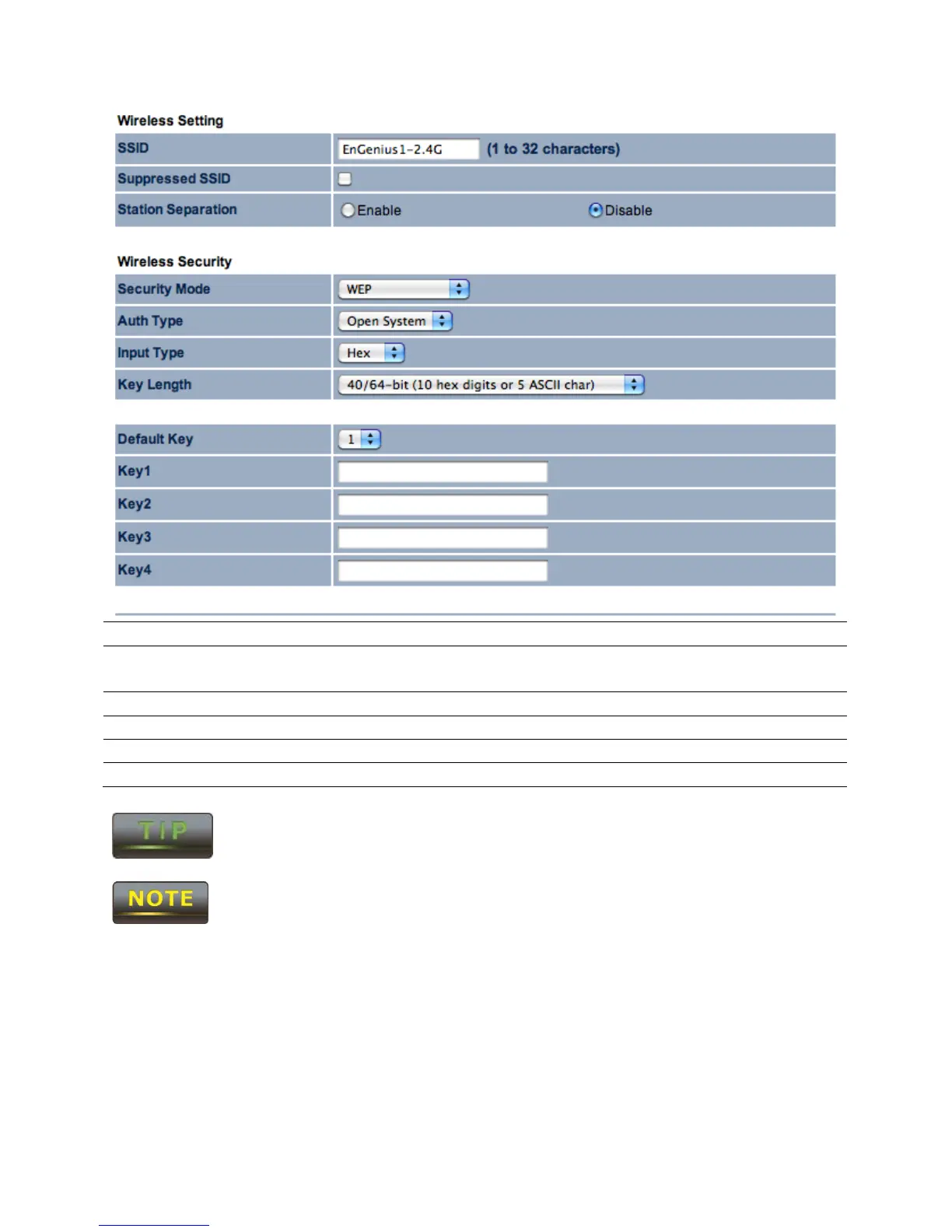
Auth Type Select the type of authentication to be used in the WEP mode
Select the character type to be used in the WEP key.
Select the length of the WEP key based on bit length.
Default Key Select which of the 4 keys to use as the WEP key.
Key[1-4] Enter the WEP key to be used.
Hexadecimal characters are 0-9 and A-F.
ASCII characters are the equivalent to the English alphanumeric characters and
the common non-printable characters such as backspace.
The IEEE 802.11n standard does not include WEP/WPA-PSK/WPA-PSK TKIP
security mode. To comply with the standard, when you use the above
encryptions, the wireless transmit mode will drop from 802.11n to 802.11g.



 To Next Page