15
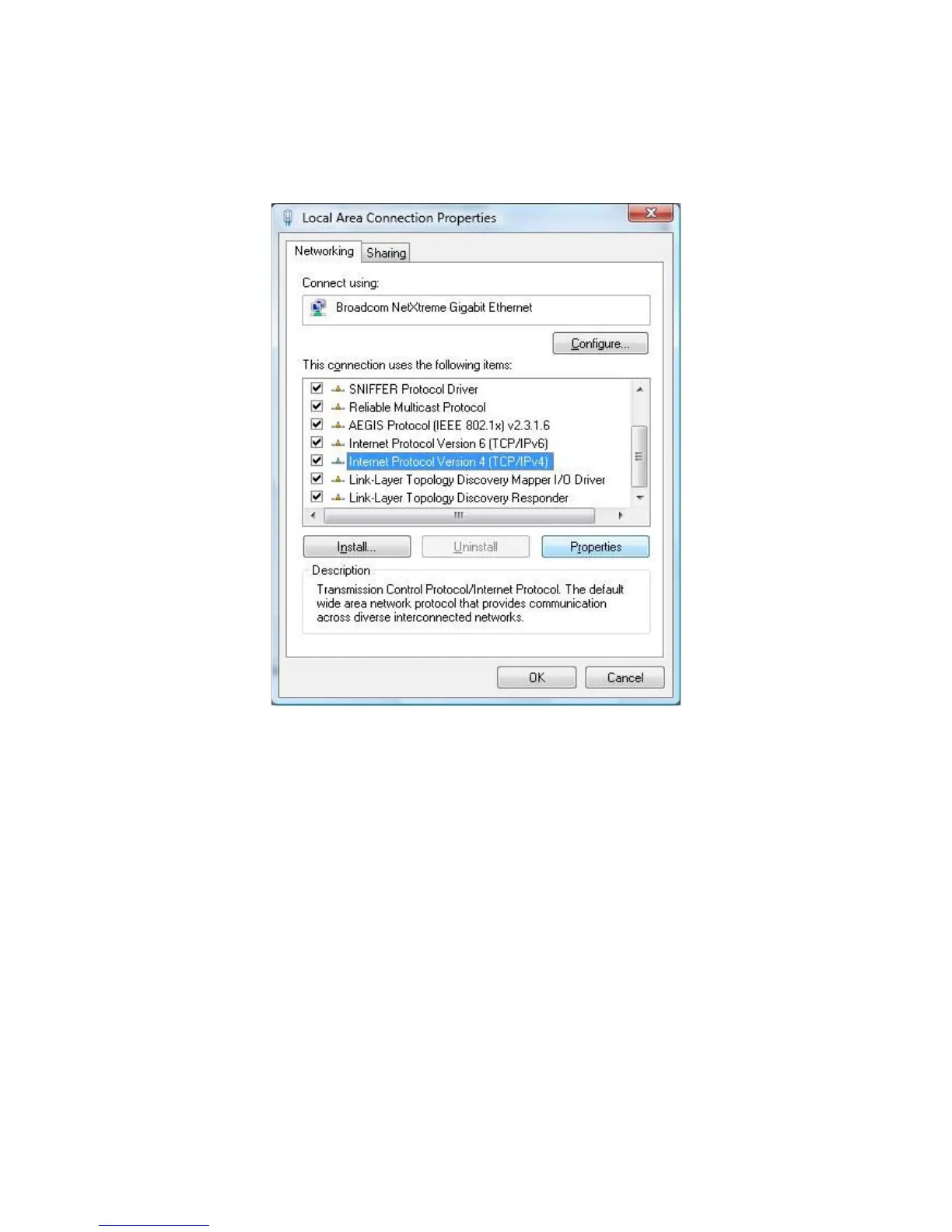
5. In the Local Area Connection Properties dialog box, verify that Internet Protocol
(TCP/IPv4) is checked. Then select Internet Protocol (TCP/IPv4) and click the Properties button.
The Internet Protocol Version 4 Properties dialog box appears.
6. In the properties dialog box, click Use the following IP address: to configure your
computer for Static TCP/IP. Enter an IP address (i.e. 192.168.1.10), the subnet mask of the
ENH700EXT, and the default gateway which is the ENH700EXT’s IP address, 192.168.1.1. Note:
the subnet mask must match that of the ENH700EXT and the IP address must be on that subnet.



 To Next Page