36
Client Bridge Configuration
Step 1 Login to the web-based configuration interface with the default IP: 192.168.1.1
Step 2 Select your country or region’s regulation.
Step 3 Select Operation Mode to Client Bridge from System Properties.
Step 4 Use site survey to scan channels of the nearby area.
Step 5 Select the AP that you would like to associate with.
Step 6 Setup the authentication settings that match to the Access Point’s settings.
Step 7 Select Apply to process all of the configurations.
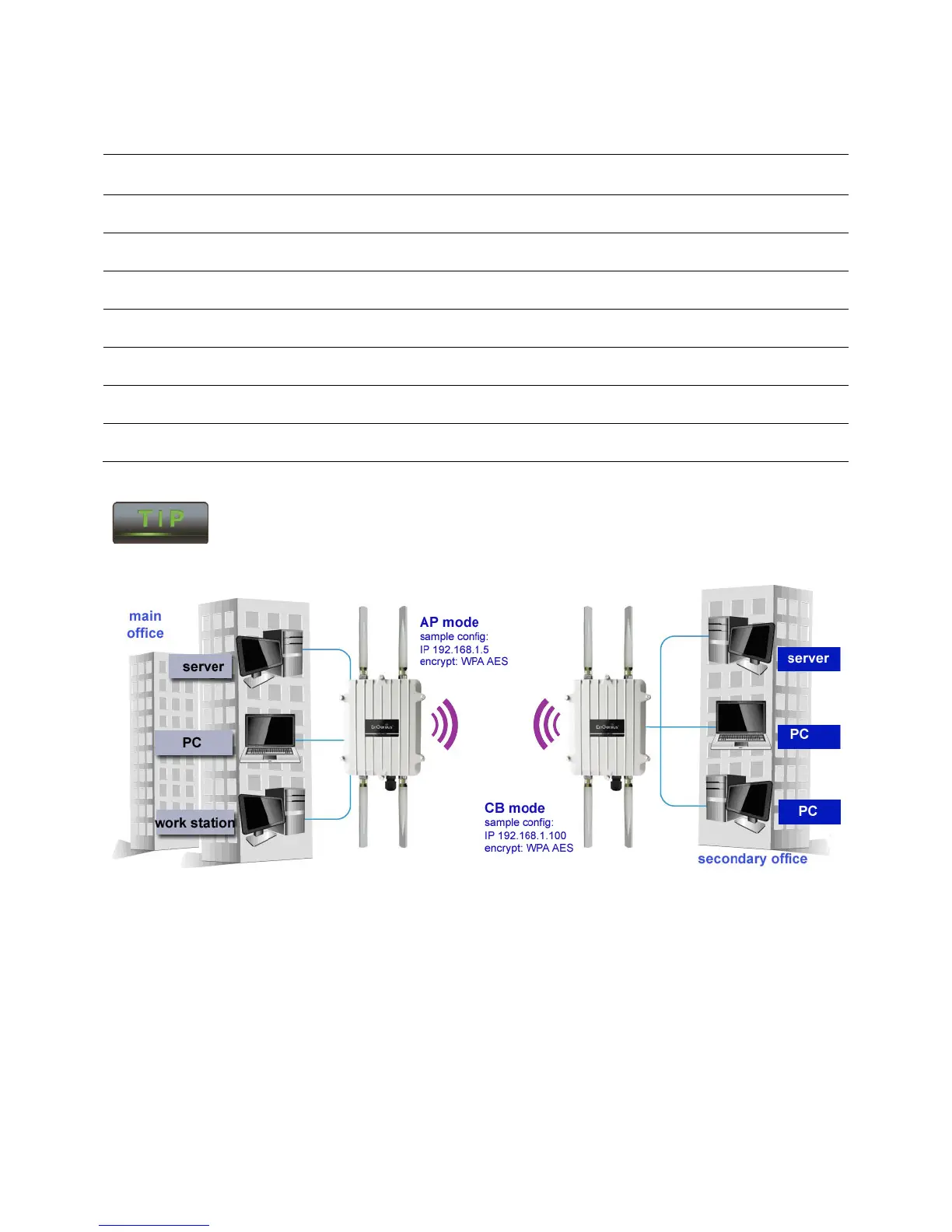
The Client-Bridge’s IP settings must match the Access Point’s settings to be on the
same subnet.
ENH700EXT Access point to Client Bridge mode setting diagram



 To Next Page