10
Configuring Your LanDrive via the Web Interface
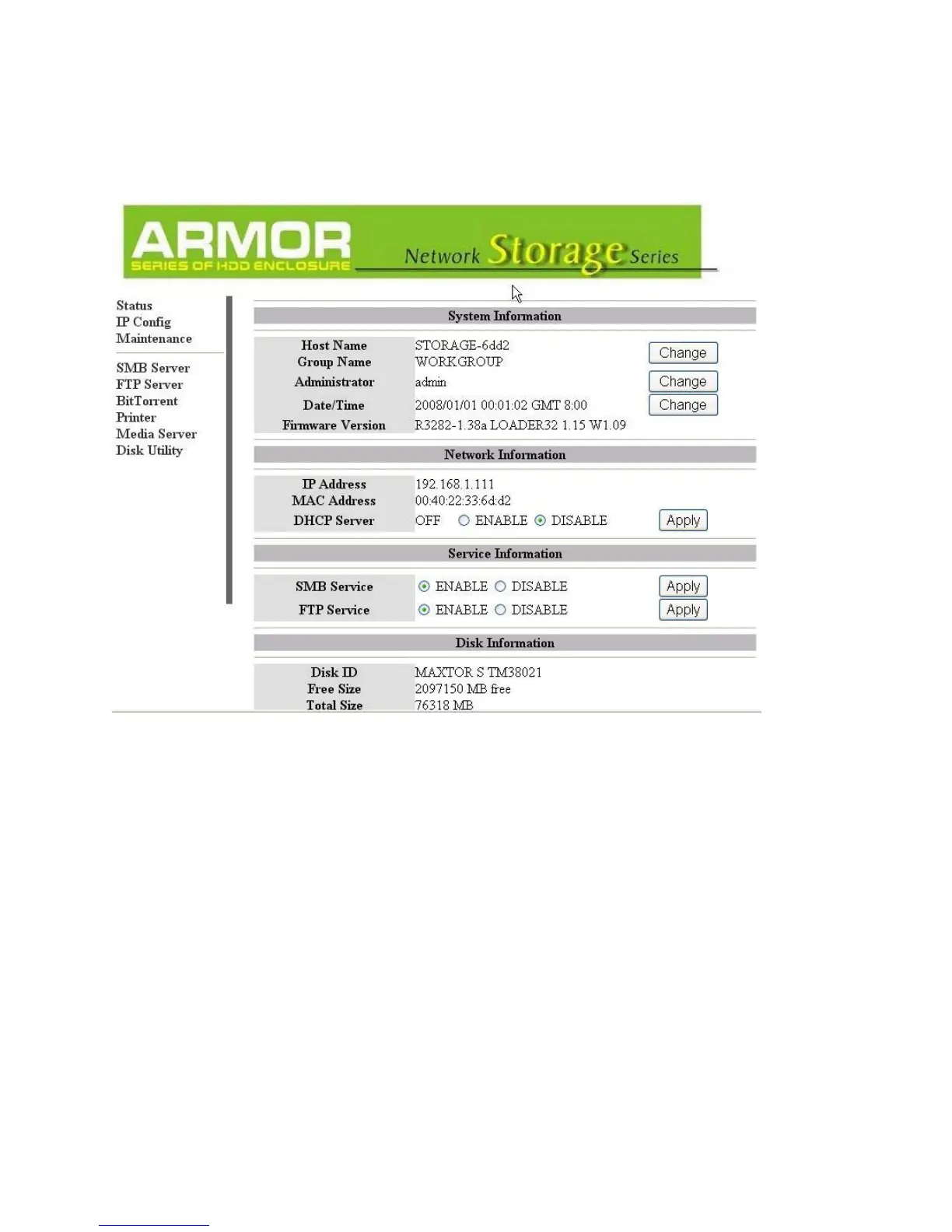
Once you have successfully logged into the LanDrive, you will see the following screen:
Status
The status tab provides detailed information about your System, Network, Service, and
Disk.
System Information
Host Name – This is the name of your LanDrive. The default value is STORAGE-XXXX.
Storage devices need unique names so that they can identify and communicate with one
another. It’s best to keep host names short (fifteen characters or less) and easy to
recognize. We recommend using only alphanumeric characters in the Host name. The host
name cannot consist entirely of numbers, nor can it contain spaces or special characters.



 To Next Page