8
Configuring the LanDrive
The LanDrive features a web-based control interface to manage your settings. If you are
using an operating system other than Windows, please refer directly to the next section,
entitled “Other Operating Systems.”
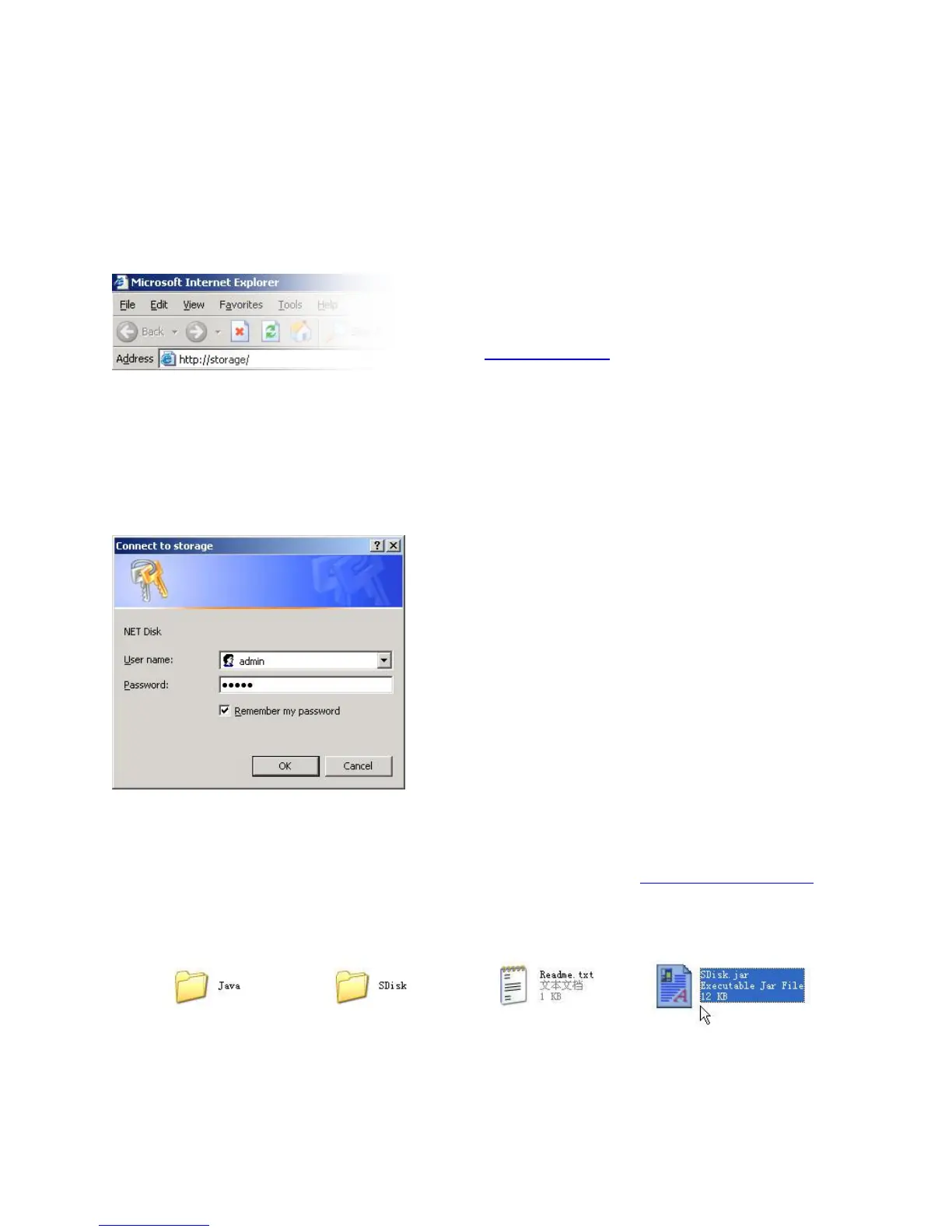
Step 1 – Open your web browser. To
connect to the web interface, visit
http://storage/ (If you have more than once
device, use http://storage-XXXX/). You can
also connect directly to the LanDrive using
its IP address.
Step 2 – Enter the default credentials:
Login: admin / Password: admin
If you are having trouble accessing the LanDrive via the URL or IP address:
1. Install the latest version of the Java Runtime Environment (http://www.java.com).
2. Open the included CD and double-click the file named “Sdisk.jar”



 To Next Page