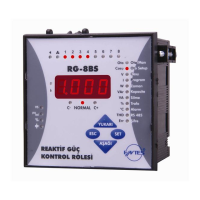
POWER FACTOR CONTROLLER
RG3-12C/CS
16
3.9.a.c Switch On or Switch Off Setting of Capacitor
Steps for Overvoltage Alarm Setting
If reactive/active energy ratio exceeds the preset value, an alarm occurs.
This ratio can be set for inductive/active and capacitive/active separately
between 0-99.9 %. If this value is set as 0, this function is disabled.
3.9.b Reactive / Active Ratio Setting
In order to provide accurate compensation, the upper limit value of
capacitive/active ratio is entered in this menu. This value can be set
between 0-99.9 %. If the capacitive/active ratio of the network exceeds
the preset value, an alarm occurs. If this value is set as 0, this function
is disabled.
3.9.b.a Capacitive Ratio Setting
The second setting in the voltage menu(UoLt) is the overvoltage delay
time(dELy). Press the SET button to enter the overvoltage delay time
setting menu.
SAUE
If you want to leave the setup menu without making any other changes,
press the ESC button until SAVE SEt yES shows on the screen. If
you want to save the changes, press the SET button. If not, press the
ESC button.
Enter the over voltage delay time between 0-999.9 seconds.
If you are
going to change another setting, return to the menu by pressing the SET
button.
If you do not want to set another parameter, press the ESC
button.
The third setting in the voltage menu(UoLt) is the overvoltage step
setting(StEP). Press the SET button to enter the overvoltage step setting
menu.
Using the UP/DOWN buttons, select on or of option and press the
SET button.
If you are going to change another setting, return to the menu
by pressing the SET button.
If you do not want to set another parameter,
press the ESC button.
SAUE
If you want to leave the setup menu without making any other changes,
press the ESC button until SAVE SEt yES shows on the screen. If
you want to save the changes, press the SET button. If not, press the
ESC button.
Press the DOWN button in order to switch from overvoltage menu to the
overvoltage step menu(StEP).
Using the UP/DOWN buttons, find Alarm (Alr) menu. When Alarm
menu is selected, alarm LED turns on.
Press the SET button for 3 sec. in order to enter to the menu.
3 sec.
In order to protect the capacitors from overvoltage, when an overvoltage
alarm occurs, capacitor steps switch on or switch off settings are done
in this menu.
If on is selected: When overvoltage error occurs, capacitor steps
stay switched on.
If off is selected: When overvoltage error occurs, capacitor steps
stay switched off.


 To Next Page