Setup Wizard
Setup Wizard
1312
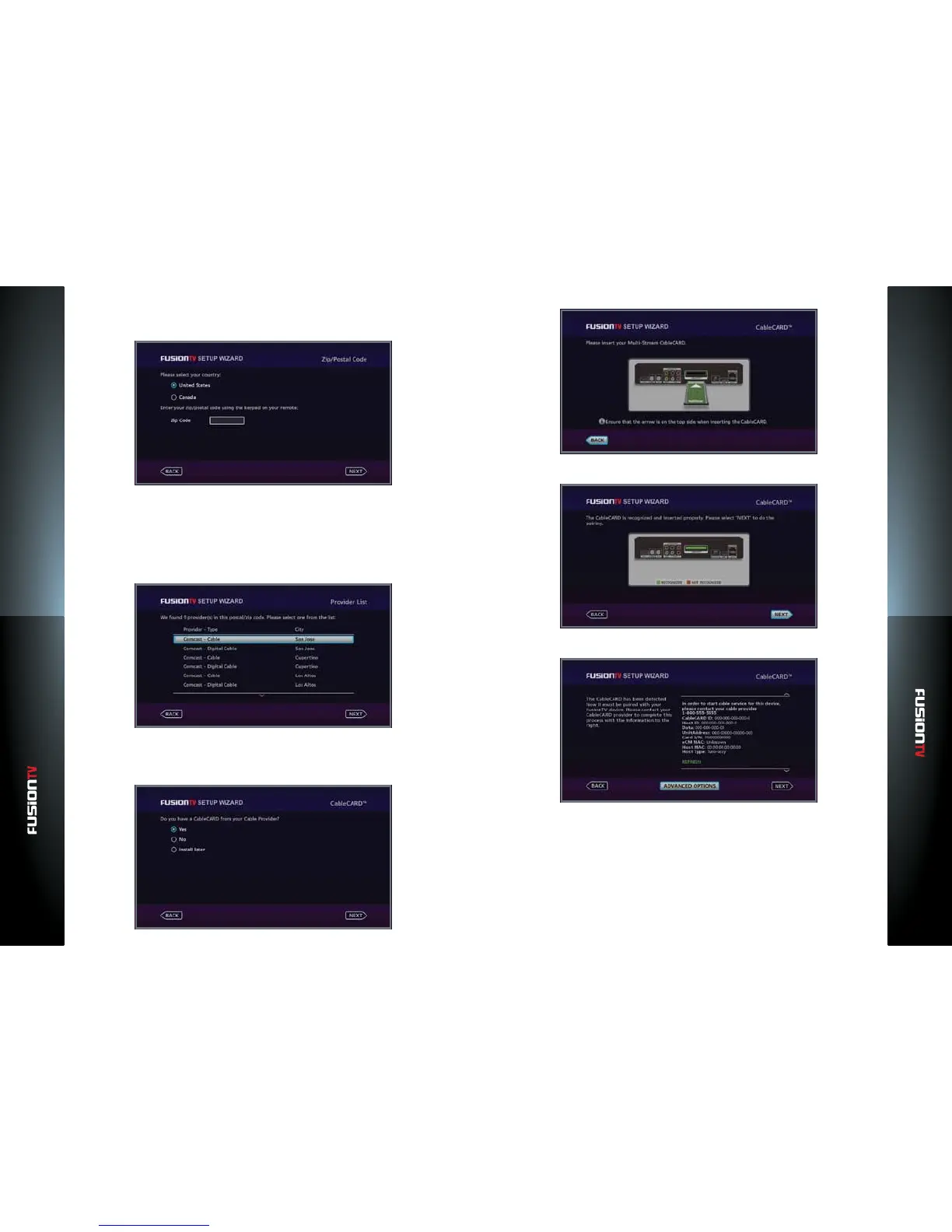
3. Select your country and enter your zip code using the NUMBER KEYS.
Use the LEFT ARROW to delete numbers.
4. Press OK to continue.
5. Depending on the TV source that was selected, a set of channel program
options will be displayed. Select the program guide that you subscribe to
and press OK.
6. Press OK to continue.
7. The Setup Wizard will ask if you have the CableCARD from your cable
service provider. Be sure the CableCARD is properly inserted into the
FusionTV service. Select “Yes” and press OK to continue.
8. If the card is recognized, the following screen will appear:
9. Press OK to continue.
10. The CableCARD will need to be paired with your FusionTV service. Dial
the phone number displayed on your screen to contact your cable service
provider.
11. The cable service provider will require the Host ID, Data, and Serial Number
(S/N). These values should be displayed on your screen.



 To Next Page