Settings
Settings
8382
There are Two Options:
Clock Display: Turn the device clock o, dim the display, display normal, or
bright display.
Display Format: Choose between 24-hour or 12-hour format.
2. Select SAVE and press OK.
Network
Congure Network:
Choose how the FusionTV service will connect to the Internet. The choices are
Wired (Ethernet) and Wireless. The device default setting is a wired network
connection. Setting up a Network/Internet Connection is required to use the
Program guide and broadband-based applications and services, such as VUDU
and various Web Media Applications on your FusionTV service.
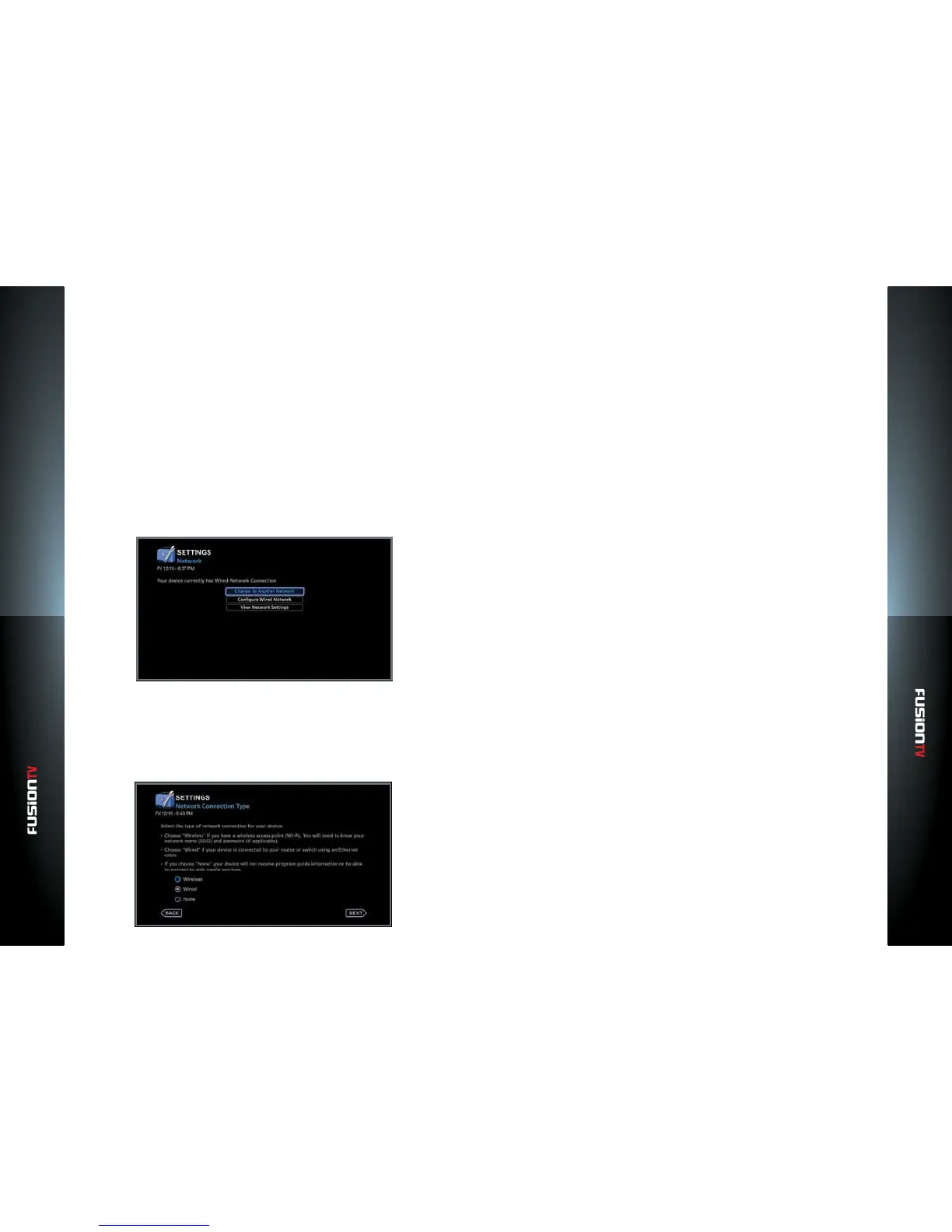
1. From the Main Menu select SETTINGS > Device > Network and press OK.
2. Select “Change To Another Network” and press OK.
Wired Networks (Ethernet)
If your network connection type uses an Ethernet cable, choose “Wired“
and press OK.
The “Wired Network Summary” screen will display with the network summary
for your device. The default setting will acquire network values for Internet
usage automatically.
To setup the wired network manually or make changes, perform the
following:
1. Use the ARROW KEYS to select “CHANGE” and press OK.
2. Select “Manual” and press OK.
3. Use the ARROW KEYS and press OK to select a category.
4. Use the NUMBER KEYS to enter new values and press OK to lock in new
values.
5. Repeat steps 3 and 4 to change other category values. Select “SAVE” and
press OK to continue.
6. Use the ARROW KEYS to select “NEXT” and press OK to proceed to the
next step.
To setup a Wireless Network:
1. If the network connection type is Wireless, choose “Wireless” and press OK.
A list of available wireless networks will display.
2. Use the ARROW KEYS to choose a preferred network and press OK.
3. Enter the required password information using the remote control
NAVIGATION KEYS and the on-screen keyboard (minimum 8 characters
required).
4. Use the ARROW KEYS to select “CONTINUE”, and press OK.
5. Press OK again to continue.
If your changes cause the network connection to drop, return to the previous
working option.
View Network Settings
This screen provides a summary of all your network setting values. It also lists
the wired and wireless Media Access Control (MAC) addresses.
To view the current network settings for your FusionTV service at anytime, go to
the Main Menu and select SETTINGS > Network > ”View Network Settings”.



 To Next Page