5. INSTALLATION PROCEDURE
1. Make sure EPC is OFF (HVDC and LVDC connections are voltage-free).
2. Plug Fig. 7 EPC to CAN CANopen interface connection cable in connector of
the CAN - CANopen interface and connector 8 of the Fig. 6 EPC Dual CAN interface (in
the DC/DC converter side).
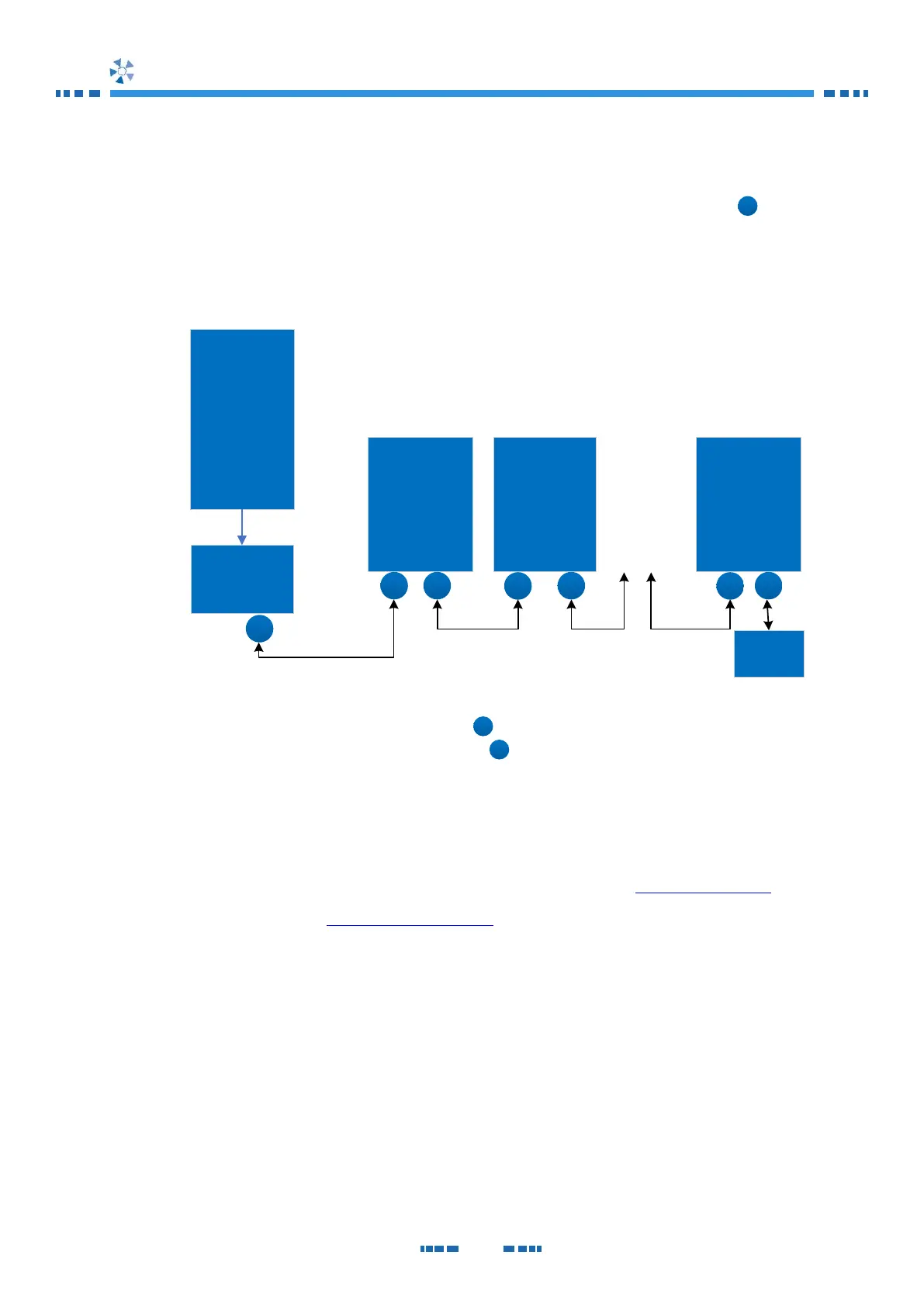
If your installation consists on more than one EPC External interface, refer to the
following schematic (Fig. 9) for connection.
Fig. 9 Connection diagram
3. Use the NODE-ID Configuration Switch to configure the ID node.
4. Plug the CANopen bus into CONNECTOR
5. Switch ON the EPC DC/DC Converter.
After turning ON the EPC DC/DC Converter, the CAN - CANopen interface is initialized with
the configuration from the EDS file.
In case that you have not received the EDS file, please check at www.epicpower.es or
contact us by email at support@epicpower.es.


 To Next Page