EasyManua.ls Logo

epic power CAN - 10 Technical Data; 11 Troubleshooting

epic power CAN
43 pages
Print Icon
To Next Page IconTo Next Page
To Previous Page IconTo Previous Page
Loading...
41
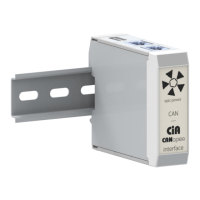
CAN - CANopen Interface
Installation guide
10. TECHNICAL DATA
Microcontroller
32 bit
Dimensions
56 x 56 x 26 mm
Weight
75 gr.
Power supply
Via EPC, 5 V DC / 60 mA
Operating temperature
-20 to +70º C
Storage temperature
-20 to +70º C
Relative humidity
10 to 95% non-condensing
Housing material
Polyamide
Protection class
IP20
11. TROUBLESHOOTING
CAN - CANopen interface
does not turn on
1. Make sure that the connector 1 is plugged with the connector 8 of
the EPC dual CAN Interface.
2. Make sure that the connector 5 is connected to CANopen bus
3. Make sure that the EPC is turned on
CANopen communication
does not work
1. Make sure that termination resistors are connected
2. Make sure that CANopen bus is ON when the EPC starts