154
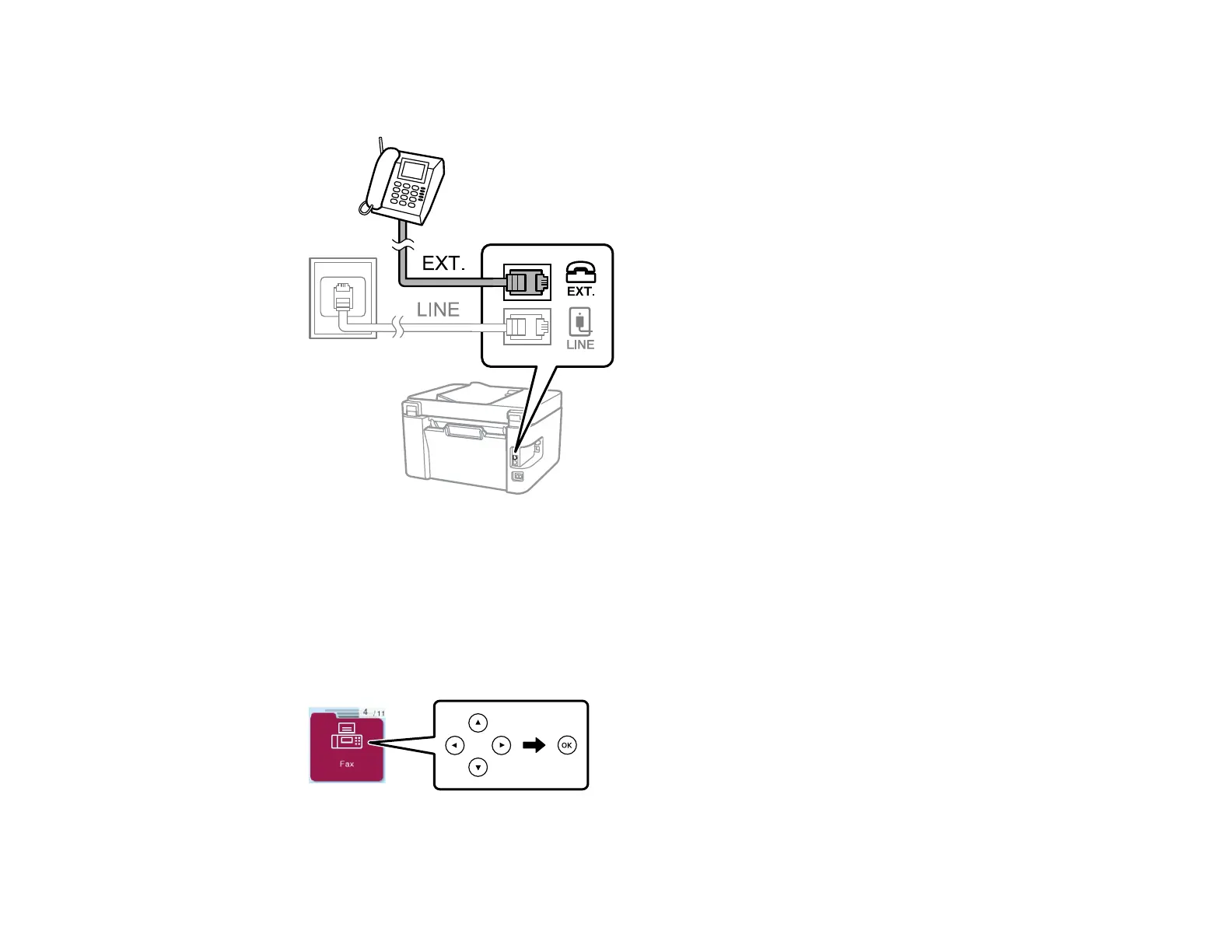
3. Connect a second phone cable to your telephone or answering machine and to the EXT port on your
product.
Note: If you connect an answering machine and Receive Mode is set to Auto, set the number of
rings before your product answers a call to a number that is higher than your answering machine's
setting for the number of rings.
Make sure to connect the telephone to the EXT port on your product. If you split the telephone line
between your telephone and the product, they will not work correctly.
4. Press the arrow buttons to select Fax, then press the OK button.
5. Pick up the handset.



 To Next Page