258
Warning: Never touch the buttons on the control panel while your hand is inside the product. If the
product starts operating, it may cause an injury. Do not touch any protruding parts inside the product. Be
careful not to trap your hand or fingers when opening or closing the scanner unit.
Caution: Remove the jammed paper carefully. Removing the paper forcefully may cause damage to the
printer. When removing jammed paper, avoid tilting the printer, placing the printer vertically, or turning
the printer upside down; otherwise ink may leak.
1. Cancel the print job, if necessary.
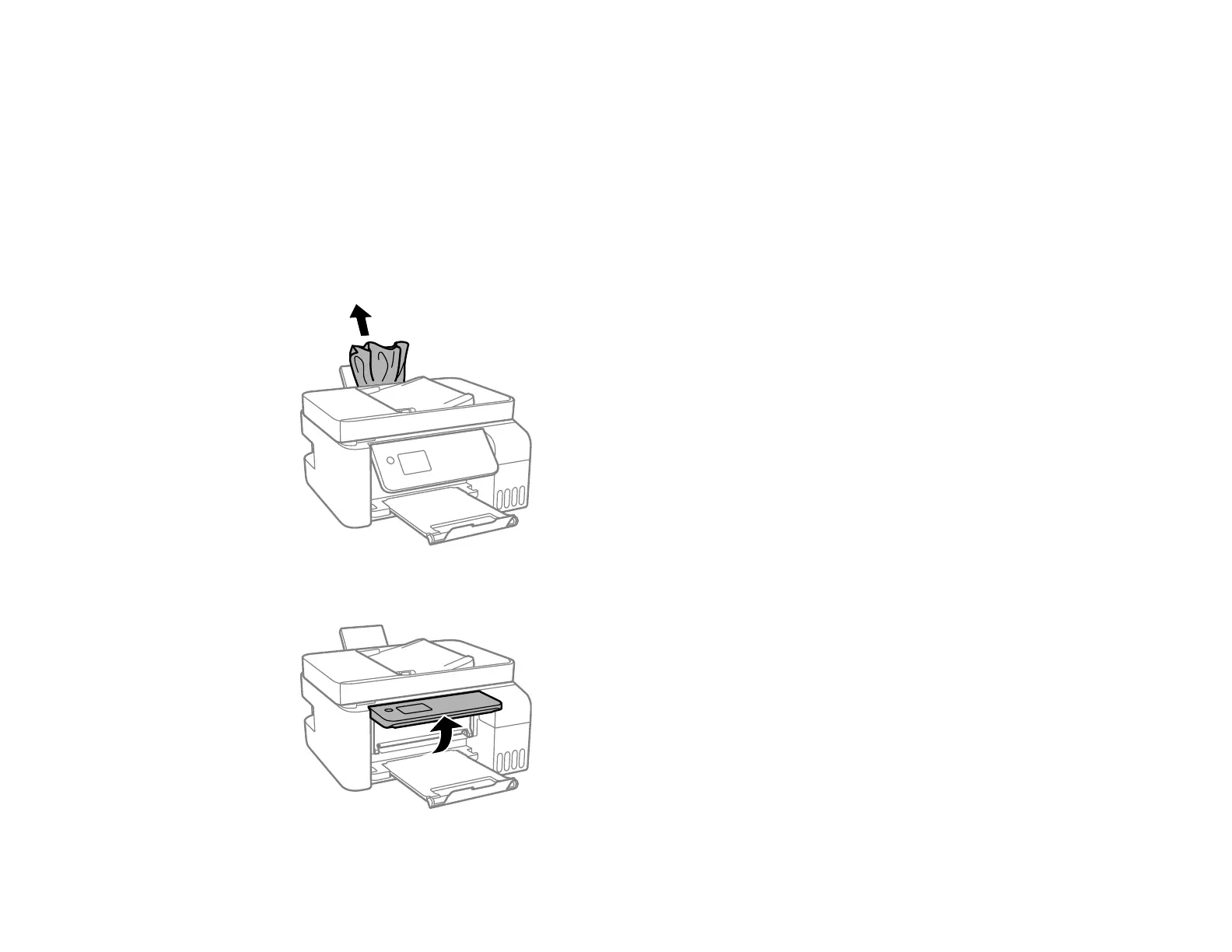
2. Remove any jammed paper from the rear paper feeder.
3. Raise the control panel.



 To Next Page