Searching for Network Projectors Using a Profile
You can save network projector information as a profile, and then specify
the profile to search for the same projector instead of specifying the
relevant details each time.
Related Links
• "Changing the Projector Search Method" p.24
• "Profile" p.26
• "Performing a Profile Search" p.26
• "Making a Profile" p.27
• "Managing a Profile" p.28
Profile
You can save information for a network projector as a profile. A profile is a
file containing all of the projector's information, such as the projector
name, IP address, and SSID. By using a profile, you can easily search for
saved projectors instead of providing projector details.
Related Links
• "Searching for Network Projectors Using a Profile" p.26
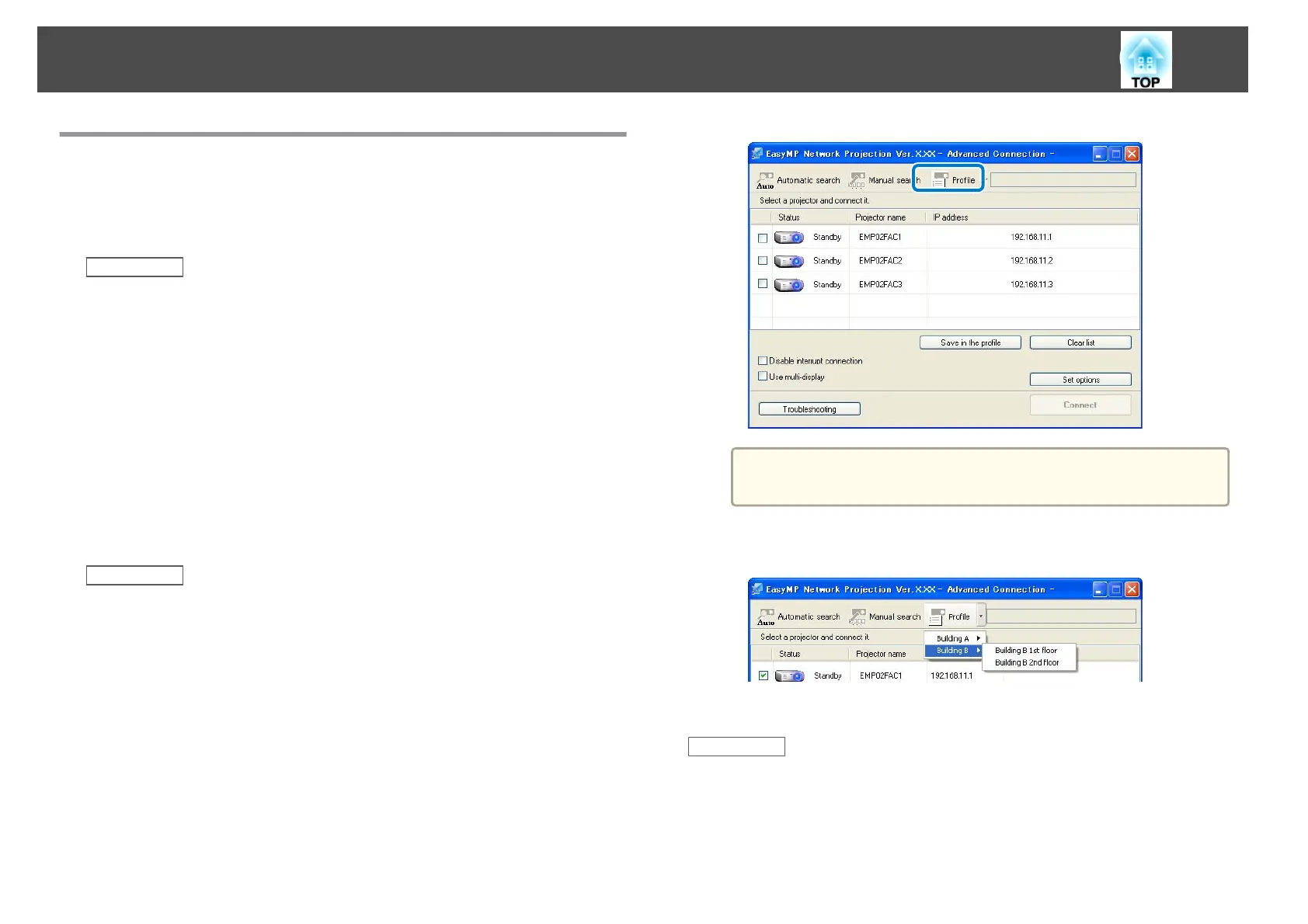
Performing a Profile Search
You can specify the profile to search for the saved projector instead of
providing projector details each time you search.
a
Click Profile on the following screen.
a
If no profiles are created, you cannot select Profile.
b
Select the projector you want to connect to from the list.
The search results are displayed.
Related Links
• "Searching for Network Projectors Using a Profile" p.26
Changing the Projector Search Method
26










 To Next Page