Making a Profile
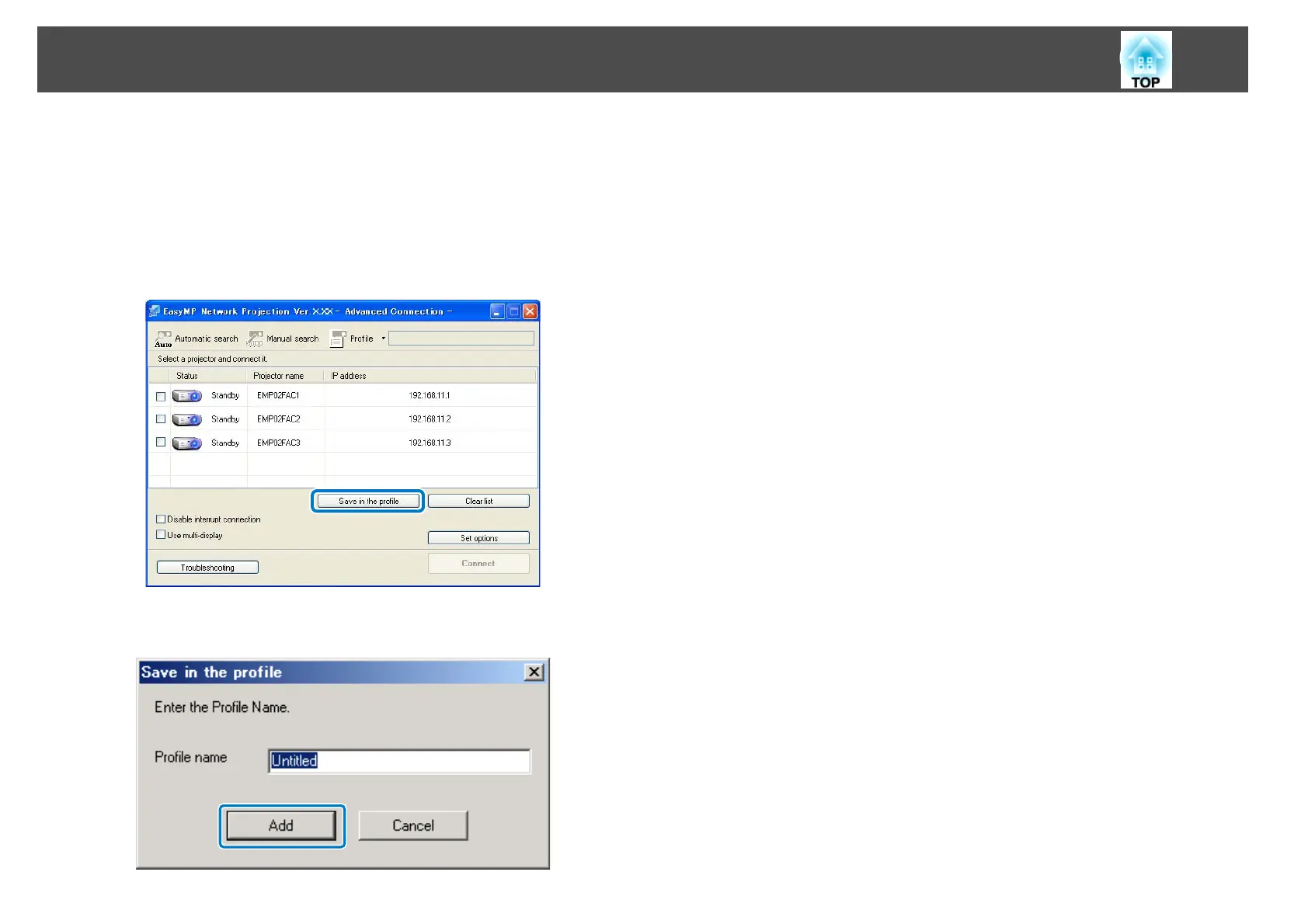
After searching for a projector, you can save the projector details as a
profile using a memorable name that you can search for easily later.
a
While the projector is displayed on the following screen, click Save
in the profile.
b
Enter a Profile name, and then click Add.
c
Perform the following operations as necessary.
• An overwrite confirmation screen is displayed: If you are prompted
to confirm whether or not you want to overwrite, select Save as to
save a profile with a different name.
Changing the Projector Search Method
27










 To Next Page