Setting Up a Projector to Connect in Quick
Connection Mode
To connect a computer directly to the projector using wireless
communication, you need to select network settings on the computer and
the projector.
a
Select the necessary settings to connect your computer to a
wireless LAN. See the documentation supplied with your computer
for more details.
b
Install the wireless LAN unit in the projector, if necessary. See the
User's Guide supplied with the projector for more details.
c
Turn on the projector.
d
Press the Menu button on the remote control or the control panel,
select the Network menu, and select Network Configuration.
e
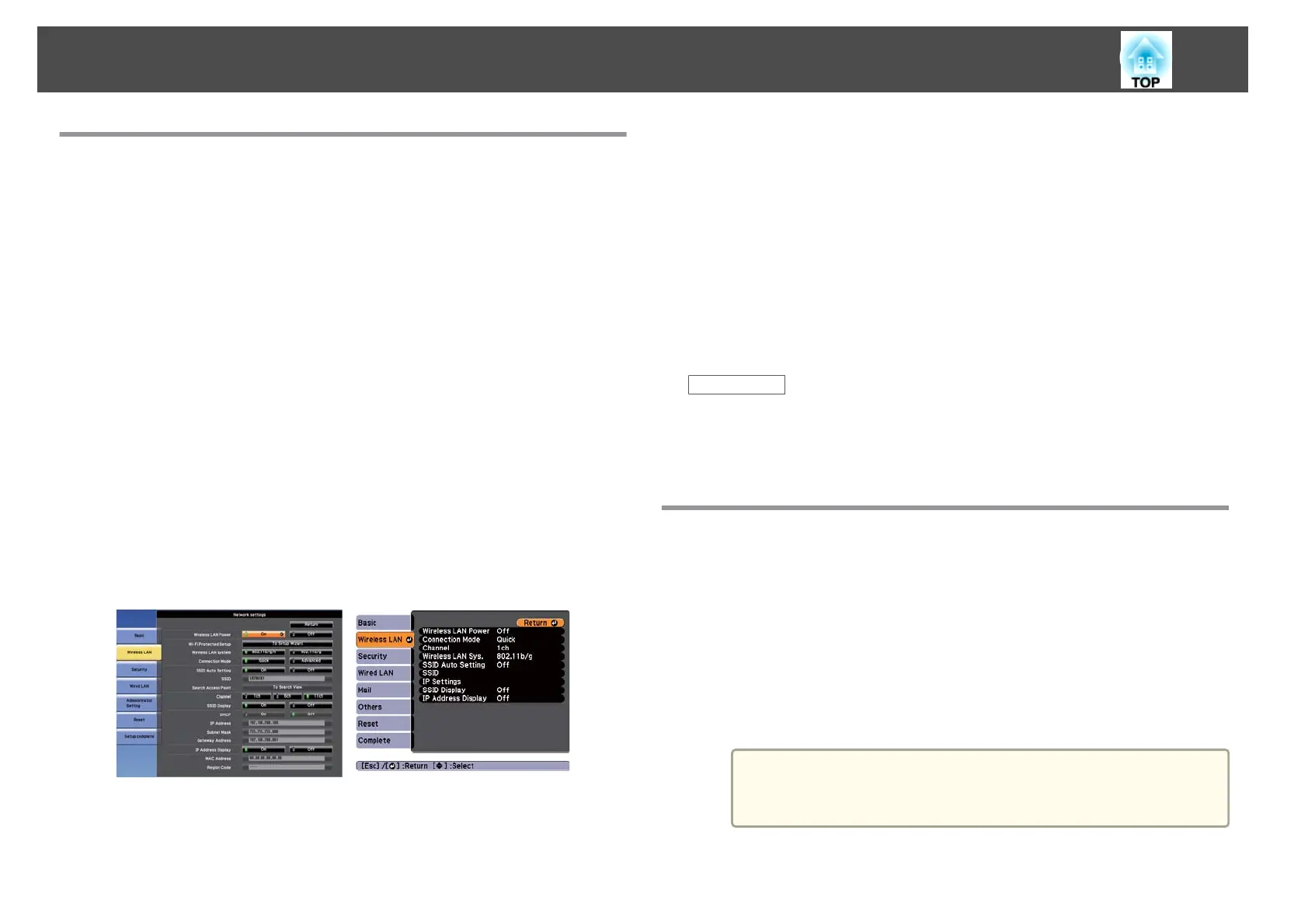
Select Wireless LAN.
A screen like one of the following is displayed.
f
Select On for Wireless LAN Power.
g
Select Quick for Connection Mode.
h
Select other options as necessary for your network. See the User's
Guide supplied with the projector for more details.
i
Select security settings on the Security menu as necessary for
your network. Check with your network administrator for more
information on making the correct settings.
j
When you have finished making settings, select Setup Complete
or Complete and follow the on-screen instructions to save your
settings and exit the menus.
Related Links
• "Setting Up the Projector" p.12
• "Connecting the Projector and a Computer Directly Using Wireless
Communication" p.18
Setting Up a Projector to Connect in Advanced
Connection Mode (Wireless)
To connect a computer to the projector over a wireless LAN, you need to
select network settings on the computer and the projector.
a
Contact your network administrator and write down the settings
for the access point, such as the SSID and security settings.
b
Connect the computer to the network.
a
To set up a network connection, if necessary, see the
documentation supplied with your computer or network
adapter.
Setting Up the Projector
14










 To Next Page