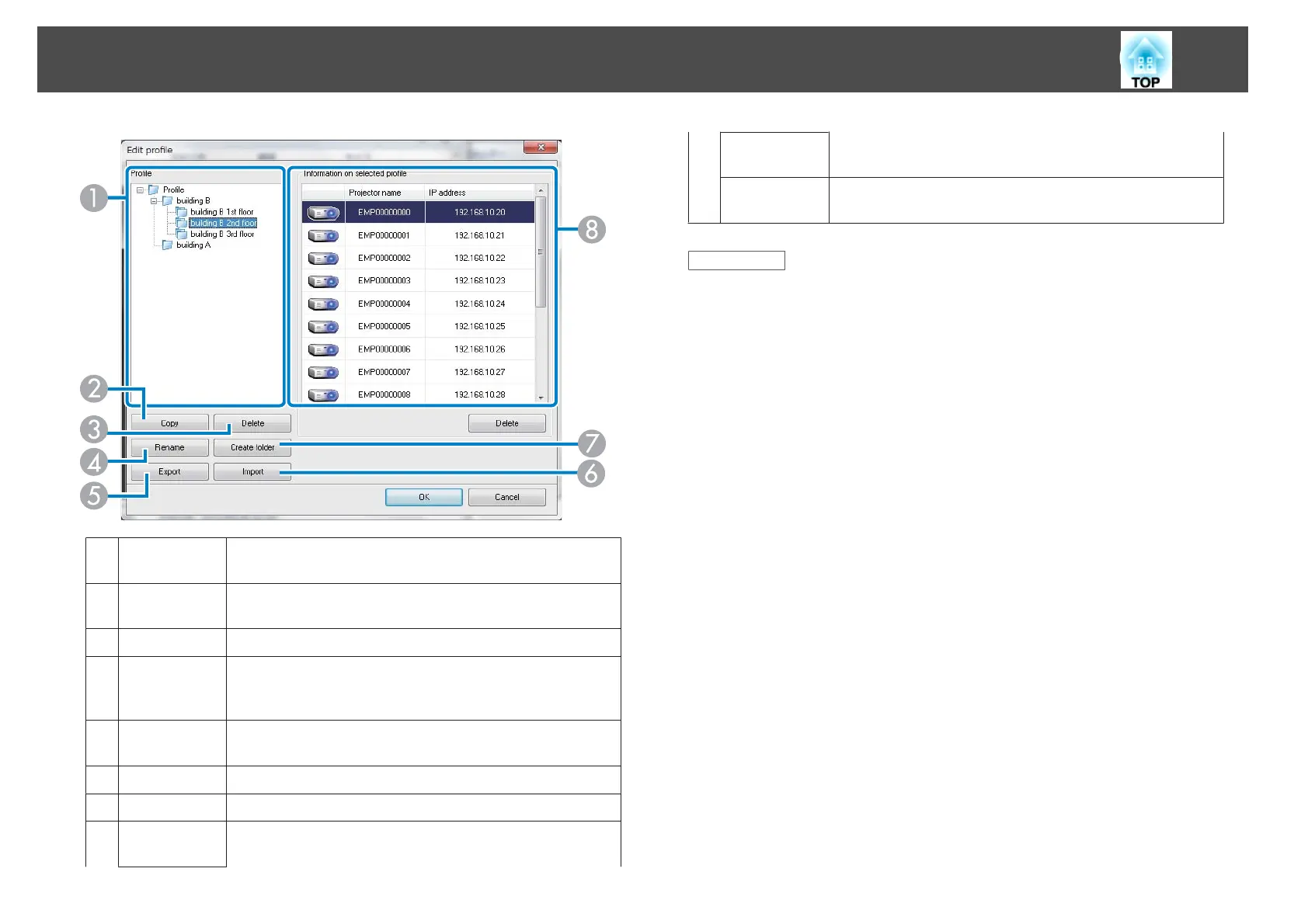
A
Profile Displays the profile. You can drag and drop profiles and
folders to change the folder structure.
B
Copy Duplicates the profile. The copied profile is saved in the
same folder as the original with the same name.
C
Delete Deletes the profile and the folder.
D
Rename Displays the Rename dialog box to rename the folder or
the profile. You can enter up to 32 characters in the
Rename dialog box.
E
Export Exports the profile. Exported profiles can be used as
backup files. You can import them on another computer.
F
Import Loads an exported profile.
G
Create folder Creates a new folder.
H
Projector
name
Displays the projector information saved in the profile.
SSID or IP
address
Delete Deletes the selected projector from the profile. When all
projector information is deleted, the profile is also deleted.
Related Links
• "Profiles" p.66
• "Making a Profile" p.27
Profiles
67










 To Next Page