Name Function
O
Control panel
Operates the projector.
s "Control Panel" p.13
P
Lamp cover
Open when replacing the projector's lamp.
s "Replacing the Lamp" p.103
Rear
Name Function
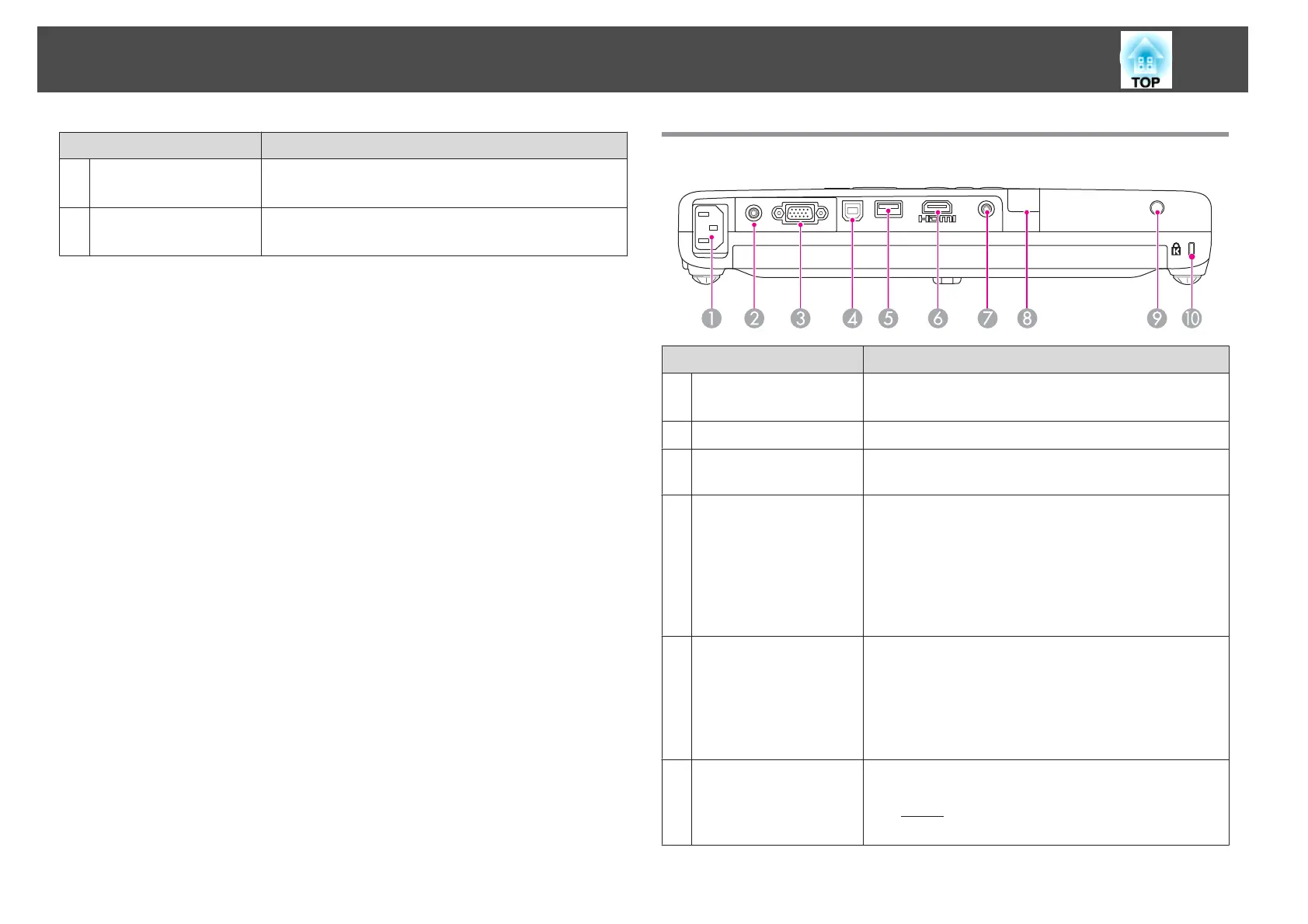
A
Power inlet
Connects the power cable to the projector.
s "From Installation to Projection" p.26
B
Video port
Inputs composite video signals from video sources.
C
Computer port
Inputs image signals from a computer and component
video signals from other video sources.
D
USB (TypeB) port
• Connects the projector to a computer via the supplied
USB cable, and the image on the computer is projected.
s "Projecting with USB Display" p.28
• Connects the projector to a computer via the supplied
USB cable to use the Wireless Mouse function.
s "Using the Remote Control to Operate the
Mouse Pointer (Wireless Mouse)" p.54
E
USB (Type A) port
• Connects a USB memory or digital camera to project
data converted by EasyMP Slide Converter (.FSE
and .SIT). The data is projected using Slideshow.
s "Projecting Without a Computer (Slideshow)"
p.45
• Connects the optional Document Camera (ELPDC06).
F
HDMI port
(EB-1775W/EB-1770W/
EB-1760W only)
Inputs video signals from HDMI compatible video
equipment and computers. This projector is compatible
with
HDCP
g
.
s "Connecting Equipment" p.21
Part Names and Functions
11


 To Next Page