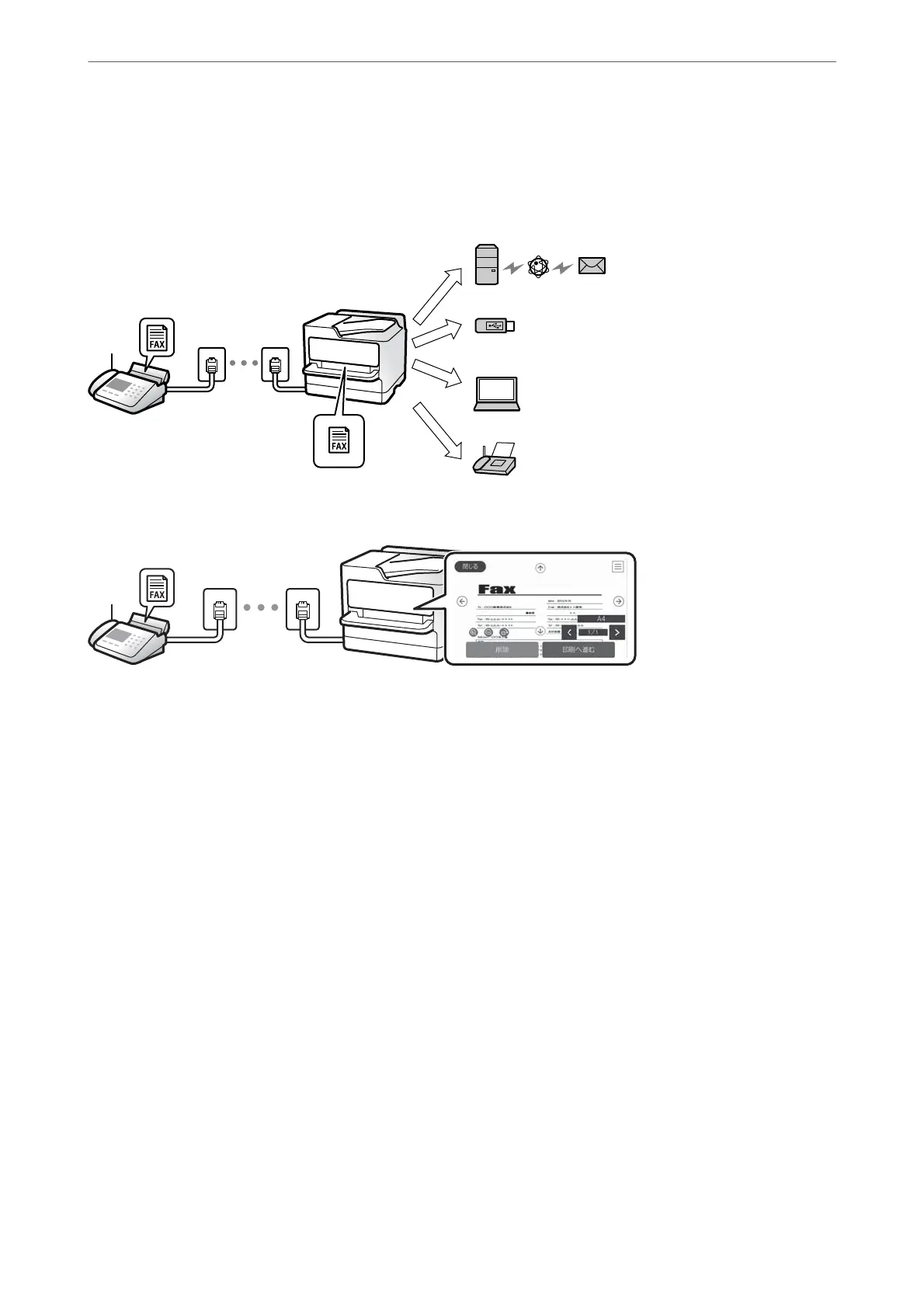
Destinations of Received Faxes
❏ Output without conditions: Received faxes are printed unconditionally by default. You can set up destinations
for received faxes to the inbox, a computer, an external memory, emails, folders, or other faxes. If you save in the
inbox, you can check the contents on the screen.
“Unconditional Save/Forward:” on page 311
“Inbox settings:” on page 314
“Viewing Received Faxes on the Printer's LCD Screen” on page 123
❏ Output when conditions match: You can set up destinations for received faxes to the inbox or a
condential
box,
an external memory, an email, a folder, or another fax when specic conditions are met. If you save in the inbox
or a
condential
box, you can check the contents on the screen.
“Conditional Save/Forward:” on page 312
“Conditional Save/Forward list:” on page 127
Feature: PC-FAX Send/Receive (Windows/Mac OS)
PC-FAX Send
You can send faxes from a computer.
“PC to FAX Function:” on page 310
“Soware for Faxing” on page 296
“Sending a Fax from a Computer” on page 137
PC-FAX Receive
You can receive faxes on a computer.
“Making Settings to Send and Receive Faxes on a Computer” on page 398
Faxing
>
Overview of this Printer's Fax Features
>
Feature: PC-FAX Send/Receive (Windows/Mac OS)
108



 To Next Page
 Loading...








