EG_GenPro425e_1103_UG_001_UK.docx
Descriptions and non-contractual illustrations in this document are given as an indication only.
ercogener reserves the right to make any modifications.
Dct_427_02
3.10.1.1 Output functioning
This function can also be controlled with AT commands:
AT+GPIOSET=10 This command is used to control the output. By default, the output is assembled in open
collector. The control is done under the following format:
AT+GPIOSET=<n>,<x> with:
<n> = 10 : only one output available on the GenPro 425e (then n=10),
<x> = 0 : Output OFF
1 : Output ON
Examples:
3.11 Watchdog
The function Watchdog Hardware allows the monitoring of the modem software activity: by default, the
software management of the Watchdog is implemented in the embedded application; in case of a
development (EGM), it must be implemented in the embedded application of the client.
If the software activity is interrupted, the Watchdog component triggers hardware Reset.
The Watchdog function is active only if there is a SIM card inside the modem.
3.12 SIM card
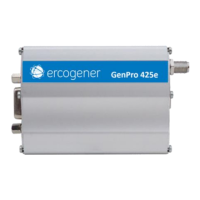
By default, the GenPro 425e is equipped with a push-push SIM card reader accessible from the outside of
the modem.
Table 35 : Characteristics of the SIM card power voltage
Mini SIM 2FF (25x15x0.76 mm)
It is possible to replace the SIM card by a SIM component (e-SIM) directly implanted on the
printed circuit. Contact us.
This function cannot be available simultaneously with the SIM card reader.
Output 1 at ON, transistor switched on
Output 1 goes to OFF transistor OFF


 To Next Page