TROUBLESHOOTING
0463 714 001
- 49 -
© ESAB AB 2020
Fault tracing Description Solution / Remedies
Measurement
3
Power ON,
but the
power
indicator is
not ON, the
display is
not working,
the fan
works
properly.
Step 1:
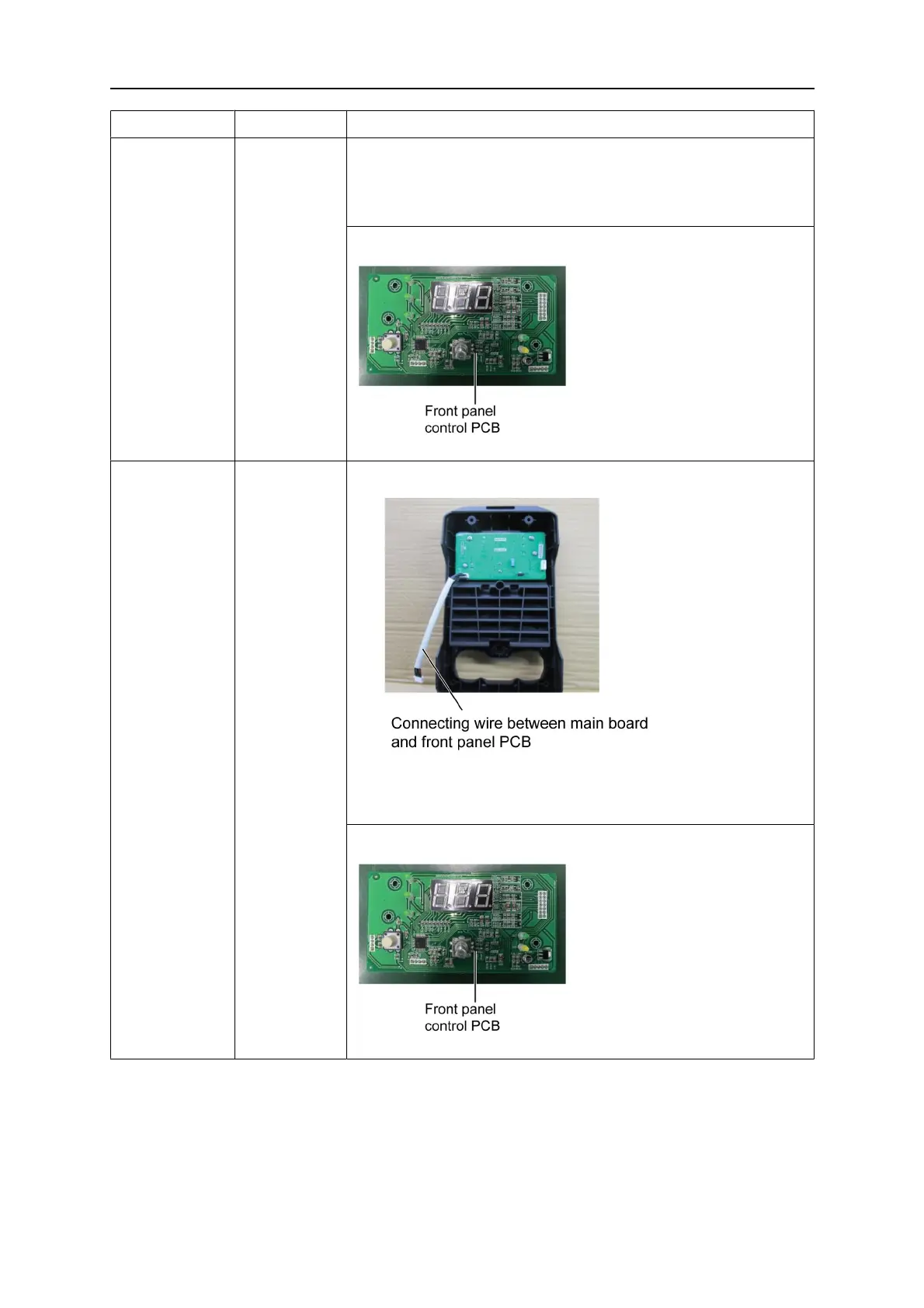
Reinsert or replace the connecting wire between main board
and front panel control PCB. If the fault persists continue to
Step 2.
Step 2:
Replace the front panel control PCB.
Measurement
4
The panel
display is
abnormal, or
the digital
display is
not
adjustable.
Step 1
Reinsert or replace the connecting wire between main board
and front panel control PCB. If the fault persists continue to
Step2.
Step 2:
Replace the front panel control PCB.



 To Next Page