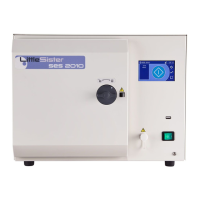
Part 3 SES 2000 Vac (LS3) AUTOCLAVE
Page 32 of 53 ST-SM45g
PART 3 MAINTENANCE
e Check that display shows 'YEAR ? 00'.
Use switches SW1 and SW2 to set any year from
00 to 99. Push switch SW3 to accept year.
f Check that display shows 'HOURS ? 00'.
Use switches SW1 and SW2 to set the hour; the
system uses a 24 hour clock. Push switch SW3
to accept the hour.
g Check that display shows 'MINS ? 00'.
Use switches SW1 and SW2 to set the minutes.
Push SW3 to accept minutes.
Note: Internally the seconds are set to zero when switch
SW3 is pushed.
Setting Cycle Counter (Fig. 3.3)
52 Set cycle counter as follows:
a Check that display shows 'RESET COUNTER?'.
(i) Push switch SW1 for 'YES' or SW2 for 'NO'.
(ii) If SW1 (YES) is pushed display will change to
'RESET' and cycle counter will reset to '0000'.
ERRORS AND ERROR CLEARING
53 If an error occurs during the operating cycle an error
code will appear on the display, accompanied by
continuous bleeps. If a printer is fitted, the error is
reported together with the date and time of the occurrence
and the message 'CYCLE FAILED' (in double size letters)
is shown. The error codes, together with their meaning,
are shown in Section 2 'Error Code Table'.
54 When an error occurs, autoclave operation is inhibited
until the error is cleared as follows:
a Switch off power to the unit.
b Push and hold in 'P' selector switch (Switch SW5
Fig.3.3) and switch on power.
c Release 'P' selector switch after two seconds.
LEAK TEST PROCEDURE
55 A leak test must be carried out before calibration
takes place and may also be required during fault diagnosis.
The acceptance criteria is 'leak rate not to exceed
0.13 kPa/min (1.3 mbar/min)'. Before doing a leak test
make sure that the chamber is dry and at ambient
temperature.
Leak test
56 The leak test procedure detailed below takes 15
minutes (excluding pump-down time).
Note: A stopwatch, a pressure probe, and a chart
recorder are needed for this procedure. All test equipment
used for calibration procedures should themselves be
regularly calibrated with traceable records.
The autoclave serial number is now set and you will be
asked if the serial number is correct. Press switch SW1
if the answer is 'YES', or switch SW2 if the answer is 'NO'.
If serial number is incorrect repeat the procedure to set
the serial number.
Setting the Cycles in Use (Fig. 3.3)
49 Enter the cycles required as follows:
a Check that display shows 'SET CYCLES?'.
(i) Press switch SW1 to accept (YES) or switch
SW2 to reject (NO). Pressing switch SW2 will
move the cycle direct to 'Setting the Display
Language' mode.
(ii) If switch SW1 is pressed, the display will
change to 'ANSWER YES/NO ALL?'. Press switch
SW1 for 'YES', or switch SW2 for 'NO'.
b Check that display changes to '134°C POROUS + DRY'.
(i) Press switch SW1 (YES) if this cycle is to be
set, or switch SW2 (NO) to reject it.
c Check that display changes to '121°C POROUS + DRY'.
(i) Press switch SW1 (YES) if this cycle is to be
set, or switch SW2 (NO) to reject it.
50 Continue the procedure until all possible cycles have
been accepted, or rejected.
Note: At least one cycle must be accepted.
Setting Date and Time (Fig. 3.3)
51 Set the date and time as follows:
a Select 'DATE AND TIME' by pressing SW1 and
SW4 simultaneously, then switch autoclave ‘on’(I).
Release switches after a bleep is heard.
b Check that display shows 'SET DATE AND TIME?'
Then press switch SW1 for 'YES'.
c Check that display shows 'MONTH?01'.
(i) Press and hold switch SW1. Observe that
numbers change to 02, 03 etc. through 12. Also
note that pushing and holding switch SW2 makes
the number decrease.
(ii) Use switches SW1 and SW2 to set the number
corresponding to the month (01 = January etc.).
Push switch SW3 to accept.
d Check that display shows 'DAY?01'.
Use switches SW1 and SW2 to display the day of
the month. Note that the computer will prevent
entry of dates such as 31 November and will allow
for February with respect to leap/non-leap years.
Push switch SW3 to accept the day.


 To Next Page