APPENDIX A
Autoclave Printer
SES 2000 Vac (LS3) AUTOCLAVE Appendix A
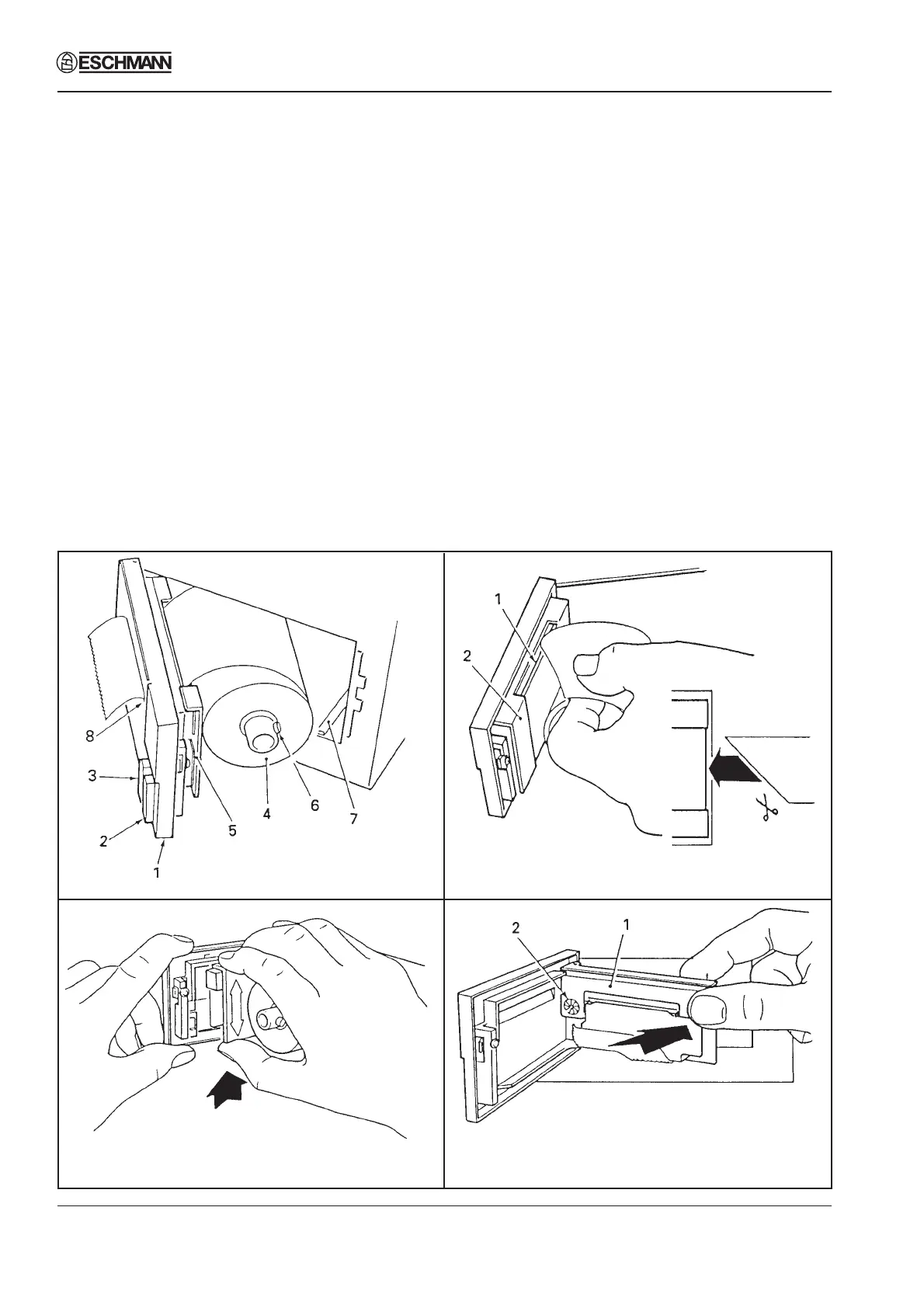
Fig. A1 Printer
Fig. A2 Paper Feed
Fig. A3 Ribbon Cartridge Fig. A4 Ribbon Cartridge In Position
Ribbon Cartridge Renewal (Figs. A3 and A4)
Renew ribbon cartridge as follows:
a Remove paper roll (see above).
b Support door with left hand and press upwards with right hand on bottom of printer mechanism
chassis (Fig. A3) and separate chassis from door.
Caution
Do not pull printer mechanism chassis from door until catch has been released.
c Leaving printer door fully open, expose printer mechanism and ribbon cartridge (Fig. A4).
d Pinch the end of ribbon cartridge marked ‘PUSH’ (A4-1) and remove cartridge.
e Fit new cartridge checking that left-hand side of cartridge is correctly located on drive shaft, and
carefully press cartridge into place.
f Ensure ribbon is taut. If necessary, tighten ribbon by turning faceted disc (A4-2) on cartridge,
clockwise, using finger or fingernail.
g Fit paper roll as described above.
Setting Date and Time
Set the date and time as detailed in Section 3 para.50
Spares Pack
A spares pack is available containing 5 paper rolls and 2 ribbon cartridges is available from Eschmann
Equipment under catalogue number 87-034-05.
ST-SM45g Page 51 of 53


 To Next Page