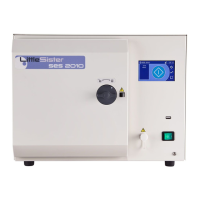
SES 2000 Vac (LS3) AUTOCLAVE Part 2
ST-SM45g Page 7 of 53
PART 2 DESCRIPTION
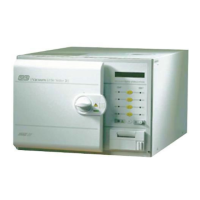
GENERAL (Fig. 1.1)
1 The autoclave is a portable steam unit heated by
electric elements. For sterilization of porous loads, a
vacuum is created in the chamber. The unit is supplied
to suit the mains electrical supply shown in TECHNICAL
DATA (pages 4 and 5).
2 The autoclave is electronically controlled and has
eight sterilizing programmes:
❑ 134°C Porous load with drying
❑ 134°C Wrapped load with drying
❑ 134°C Unwrapped load with drying
❑ 134°C Unwrapped load
❑ 121°C Porous load with drying
❑ 121°C Wrapped load with drying
❑ 121°C Unwrapped load with drying
❑ 121°C Unwrapped load
For typical sterilization cycle times, refer to TECHNICAL
DATA.
3 The required sterilizing programme is selected and
started by pressing the appropriate programme button on
the front panel of the unit, following which, the sterilizing/
drying cycle proceeds automatically until complete. The
printer (if fitted) will start automatically when the programme
button is pressed.
4 Indication of cycle status or error codes during a
cycle are provided by a digital display and printer (if fitted).
OPERATING FEATURES (Figs. 2.1, 2.2, 2.3 & 2.4)
5 The following equipment, designed for control or
protection, is incorporated in the autoclave:
❑ Process Display Window (Fig. 2.2, item 1). The
digital display indicates the temperature and pressure
inside the chamber. It also provides simple messages
for the user which indicate the stages through the
cycle, and also error conditions, should any occur.
❑ Four Programme Selector Buttons (Fig. 2.1b, SW1
to SW4). These are used to select and start
particular cycles. They can also be used to put the
autoclave in the ‘Engineering’ mode as described
later.
❑ Green Light Emitting Diodes (LED’s) (Fig. 2.1b).
There are eight LED’s which flash primarily to
indicate the cycles available for selection that can
be started and, when this has been done, to indicate
the particular cycle which is in progress.
❑ Power On/Off Switch (Fig. 2.1b). This switch
controls the mains power supply to the autoclave.
❑ Overheat Warning Lamp (Fig. 2.1b). Illumination of
this lamp indicates that one of the two protective
overheat cut-outs has operated.
❑ Door Latching Handle (Fig. 2.2, item 3). This handle
operates the door mechanism to secure the door in
the locked position against the chamber face.
❑ Door Safety Latch (Fig. 2.2, item 5). Engages a
safety catch to ensure that the door does not fly
open should there be residual pressure in the chamber
when the door latching handle is operated. It can
also be used to keep the door slightly ajar when the
autoclave is not in use.
❑ Door Interlock Microswitch (Fig. 2.4, item 4). This
is used to signal the controller that the door is
properly closed. It is operated by a simple, adjustable
mechanism and should operate just as the door is
fully closed.
❑ Pressure Door Lock (Fig. 2.3, item 14). This is a
safety device designed to ensure that the door
cannot be opened if the internal chamber pressure
exceeds approximately 0.2 bar (3.0 lbf/in
2
). The
device comprises a spring-loaded plunger driven by
the chamber pressure via a rubber diaphragm.
❑ Chamber Pressure Safety Indicator (Fig. 2.1a).
Fitted adjacent to the door latching handle (Fig.2.2
item 3) and operated by the pressure door lock
(Fig.2.3 item 14), it indicates that the chamber is
pressurised (red) and it is unsafe to open the door,
or unpressurised (green) and it is safe to open the
door.
❑ Solenoid Door Lock (Fig. 2.4, item 12). The
solenoid door lock prevents the door being opened
by the operator once the cycle has started. The lock
holds the door closed until the sterilizing cycle is
complete. It will also keep the door closed under all
fault conditions. As absence of power is also a
‘fault’ the unit power switch must be set to ‘on’ in
order to open the door.
Note: It is necessary to override the electrical door
lock to clear an error code. This is done by setting
the power switch to ‘off’, then, after a few seconds,
setting it back to ‘on’ again while pressing and
holding the ‘P’ selector (SW5) on the front panel (Fig
2.1b).
❑ Water Reservoir (Fig. 2.2, item 16). This is used to
hold distilled or deionized water or water treated by
reverse osmosis which is admitted into the chamber
via the water fill valve. The water reservoir also
receives hot water and steam vapour discharged
from the chamber towards the end of the cycle, via
the discharge valve. The vacuum pump (Fig. 2.3,
item 7) also discharges into the water reservoir.


 To Next Page