Page 28
(password)
(password) (confirm)
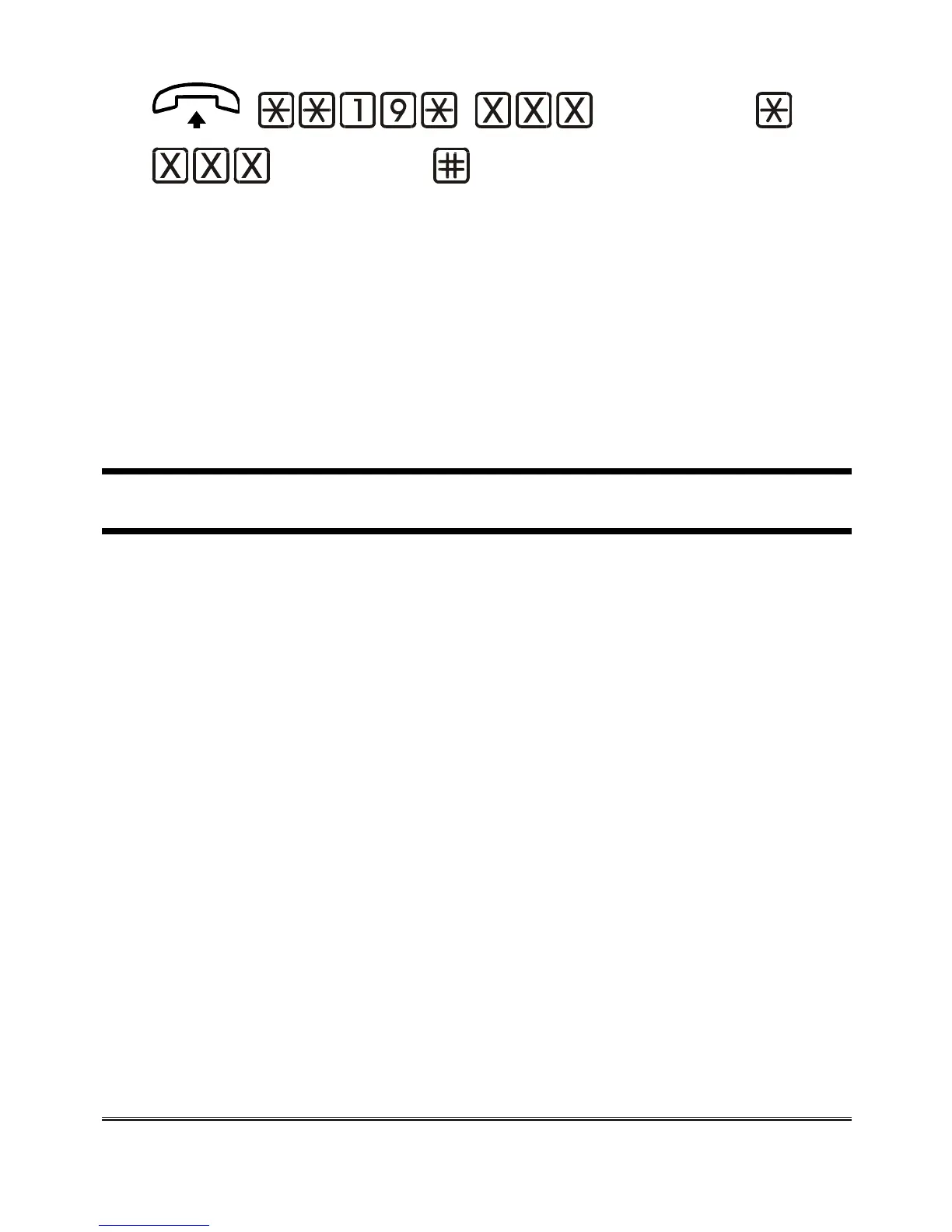
Lift the handset and dial: **19*.
Enter the new programming password (max. 3 digits).
Dial *.
Enter the new password again (for confirmation).
Dial # to confirm.
After the confirmation tone hang up or enter additional settings.
BATTERY CHECK
If the battery check is enabled, in case of power failure the 3G.next
checks the battery status every second. When the charge goes below the
previously-programmed threshold ensuring the minimum number of
operating hours in idle mode, a notification SMS is sent to the
programmed telephone number (see “Setting telephone number for
notification service”). The device sends out one notification SMS only. A
new SMS will be sent out if the charge status rises and goes again below
the previously-set threshold.
The SMS text is the following: “Low battery”.
The built-in backup batteries ensure 8 operating hours in idle mode and 1
operating hour in conversation mode.
If the battery check is enabled , every 15 days the 3G.next controls the
integrity of the battery. If the battery is found dead or damaged, a
notification SMS is sent to the programmed number with the following
text message: “Dead battery”.
If the battery check is enabled, the 3G.next detects the presence of the
battery. If the battery is absent or in case of disconnection, a notification


 To Next Page