Soil Cup Axis Movement: First, use the Move To Soil Cup Position that is being
addressed. Next, the Position count displayed is the current Soil Cup axis position.
To change the current Soil Cup axis position, enter the desired Increments and select
Jog + or Jog -, an increment of 100 is equal to 1/16”. <click> Referenced to home
the axis. (NOTE: This applies to the Needle Axis and Gripper Movement also.)
The position will be maintained until manually changed or a method is loaded.
4.5 Manual Functions
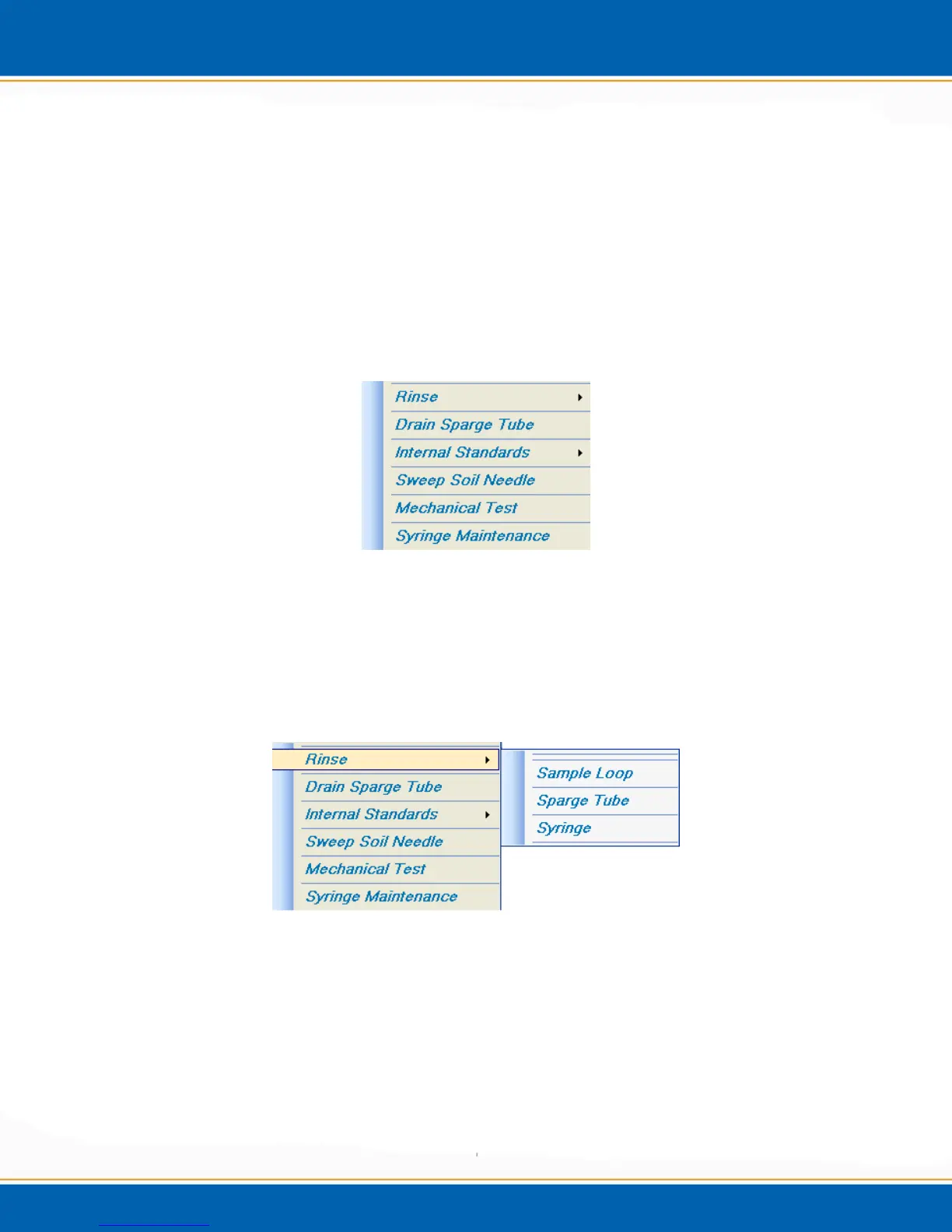
<click> the Manual Functions tab and a popup will appear as shown
in Figure 4j.
Figure 4j: Manual Functions tab menu
4.5.1 Rinse: <click> the Rinse tab and a popup will appear as shown in Figure 4k. Select
Sample Loop (Figure 4l) and the Centurion will automatically rinse the sample loop for
the inputted time. Select Sparge Tube (Figure 4m) and the Centurion will automatically
rinse the sparge tube of the designated concentrator. Select Syringe (Figure 4n) and
<click> Yes and the Centurion will automatically rinse the syringe.
Figure 4k: Rinse Menu



 To Next Page