EasyManua.ls Logo

Estun E200P - User Manual

Estun E200P
25 pages
To Next Page IconTo Next Page
Loading...
E200P Operation Manual
(Version: V1.02)

Questions and Answers

Estun E200P Specifications

General IconGeneral
ModelE200P
Number of Axes2
Control ModePosition, Speed, Torque
Protection LevelIP20
TypeController
Communication InterfaceRS485
Programming LanguageIEC 61131-3

Summary

Preface

Caution Signs and Symbols

Chapter 1 Product Introduction

1.1 Characteristic

Details the features and capabilities of the E200P CNC device, emphasizing performance and configuration.

1.2 Operation Panel

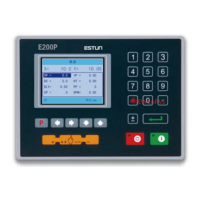
Describes the physical layout and components of the E200P operation panel, including key functions.

1.3 Display

Explains the display screen layout and interpretation of its elements like current position and parameter editing.

Chapter 2 Operation Example

2.1 Single-Step Operation

Provides a step-by-step guide for single-step bending operations, including background, analysis, and procedure.

2.2 Multi-Step Operation

Details the procedure for performing multi-step bending operations, covering background, analysis, and step-by-step configuration.

Chapter 3 Operation Description

3.1 Basic Operation

Covers fundamental operations like starting, stopping, parameter setting, alarm reset, and monitoring.

3.2 Operation Flow

Illustrates the sequence of operations and navigation through the device interface.

3.3 Single-Step

Detailed guide on performing single-step bending operations and parameter settings, with parameter descriptions.

3.4 Multi-Step

Instructions for setting up and executing multi-step bending programs, including program and step parameters.

3.5 Manual Operation

Explains how to use the manual mode for adjusting backgauge and block positions using specific key combinations.

3.6 Alarm and Monitor

Describes how to monitor system status via IO MONITOR, ALARM RECORD, and YV MONITOR pages.

Appendix A Common Faults and Troubleshooting

Appendix B Alarm List

Appendix C Parameter Description

Related product manuals