15
BASIC FUNCTIONS
Once your mobile phone has been connected via Bluetooth to the device, the synchronization of your contacts
and call history starts automatically.
CONTACTS AND CALL HISTORY
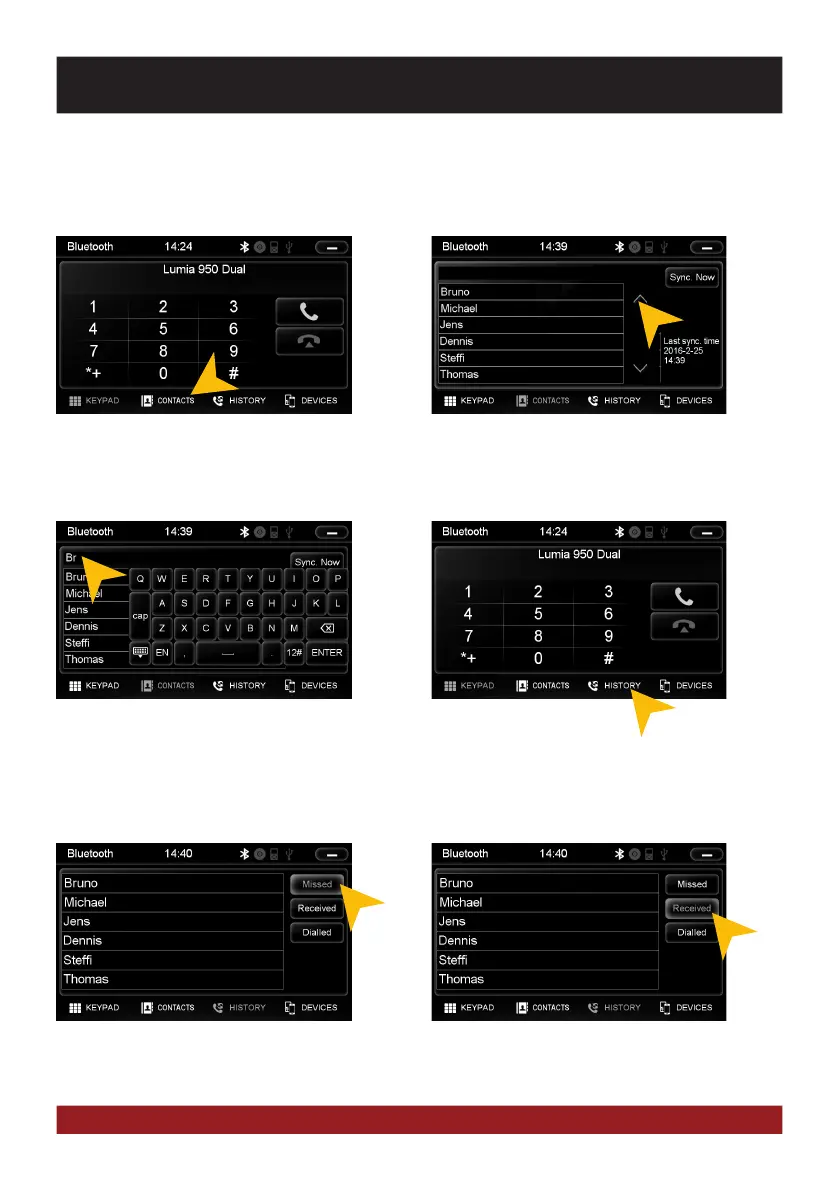
Tap on „Contacts“.
Tap on the white search field to search for
a contact, by typing its name on the screen
keyboard.
Tap on „History“.
Tap on „Missed“ to display the missed
phone calls.
Tap on „Received“ to display the already re-
ceived phone calls.
Tap a name, and then tap the green handset
to start a call. You can scroll through your
phone book by swiping up / down or by tap-
ping the arrows.



 To Next Page