35
BASIC FUNCTIONS
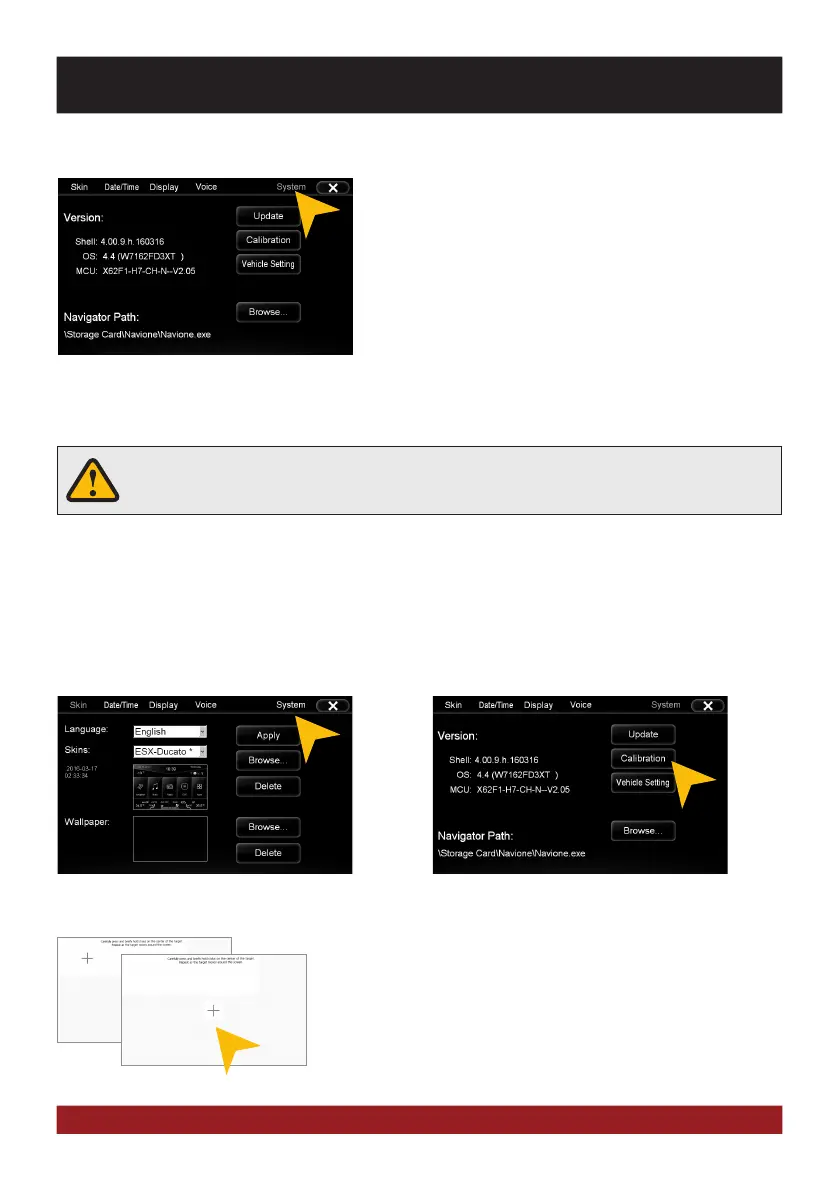
Calibration of the touchscreen operation
If the touchscreen function is inaccurate you can recalibrate the display. Proceed as follows:
Tap with the included stylus marker on the „+“. Then the „+“ will be
moved to another location, then tap again on the „+“ and repeat this
process until the calibration is complete. Then confirm the calibration
process.
Tap on „System“. Tap on „Calibration“.
Check under www.esxnavi.de if an operating system update is available or ask your retail dealer. Then follow
the installation instructions that come with the update.
Operating System
Under „System“ you find information about the system.
Shell: Version number of the user interface
OS: Version number of the operating system
MCU: Version number of the CAN-BUS protocol
Do not turn off the car‘s ignition while updating process of the operating system. Don‘t
run the update while driving.



 To Next Page