21
MENU SETUP
MENU SETPOINT1
MENU SETPOINT2
MENU CALIBRAZTION
MENU ALARM
MENU SETUP
MENU SETPOINT1
MENU SETPOINT2
MENU CALIBRATION
MENU ALARM
MENU SETPOINT1
1/2
SETPOINT 7.20
MODE ACID
HYSTERESIS 0.10
SETPOINT DELAY 00:03
TTL MODE PROPORTIONAL
PULSE WIDTH 80
VAL @ MAX F 14.00
MAX FREQUENCY 120
MIN FREQUENCY 0
METER READING @4mA 0.00
2013/05/15 04:52 WEDNESDAY T=25
METER 3: ALARM: MAX
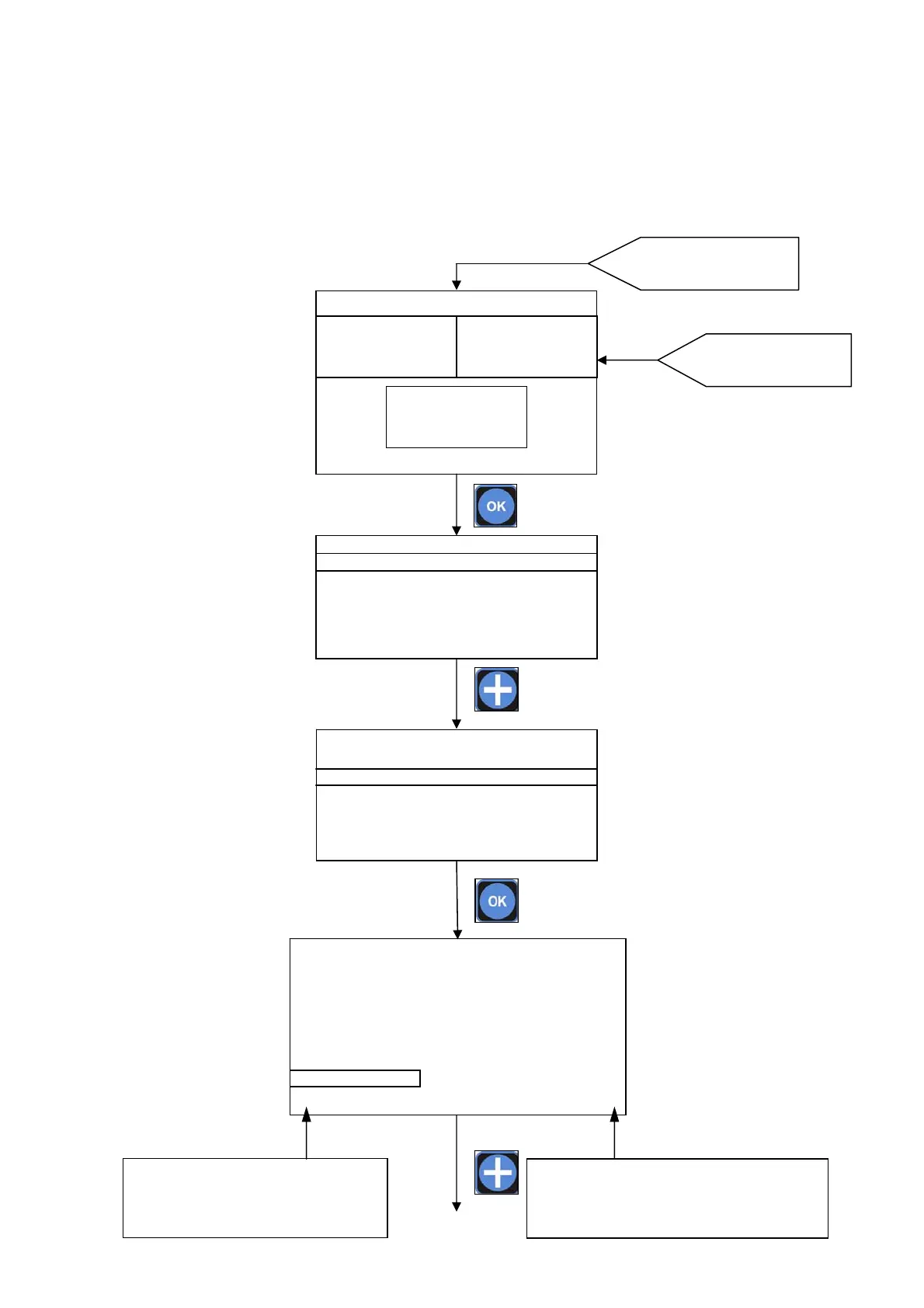
7.5. MENU SETPOINT1, SETPOINT2
Starting from the MAIN SCREEN in EXPERT MENU MODE press OK key than press + key to move the selector
on MENU SETPOINT1 or MENU SETPOINT2. Press OK key to enter.
Please note starting from SIMPLE MENU MODE into the SETPOINT1 and SETPOINT2 it is possible to set only
the SETPOINT value and the working MODE ( acid or alkaline ).
Press OK key to enter
into MENU
MAIN SCREEN
Chose the parameter by press + or – keys.
Press
OK key to confirm the choice and set
the value for the parameter on right column.
Modify the value for the parameter by press + or –
and ►keys. Press
OK key to confirm the choice an
return on left column to set an other parameter.
620mV
SET1:OFF mA1:10.4
SET1:ON mA2:10.4
7.47 pH
SET1:ON mA1:12.4
SET1:OFF mA2:12.4
11.63 Cl ppm
SET1:OFF mA1:10.4
SET1:ON mA2:10.4



 To Next Page