26
MENU ALARM
MAX VALUE 14.00
MIN VALUE 0.00
OVERDOSING TIME 99:59
7.7.1. MENU ALARM SETTINGS
The instrument features various alarms that can be configured by the user; three types of alarm can be set:
MAX VALUE – The instrument raises an alarm above a given measurement value.
MIN VALUE – The instrument raises an alarm below a given measurement value.
OVERDOSING TIME – The instrument raises an alarm when a given time interval has elapsed and the
measurement has not come back to the intended setpoint values.
8. INPUT/OUTPUT CONNECTIONS
8.1. PROXIMITY SENSORS
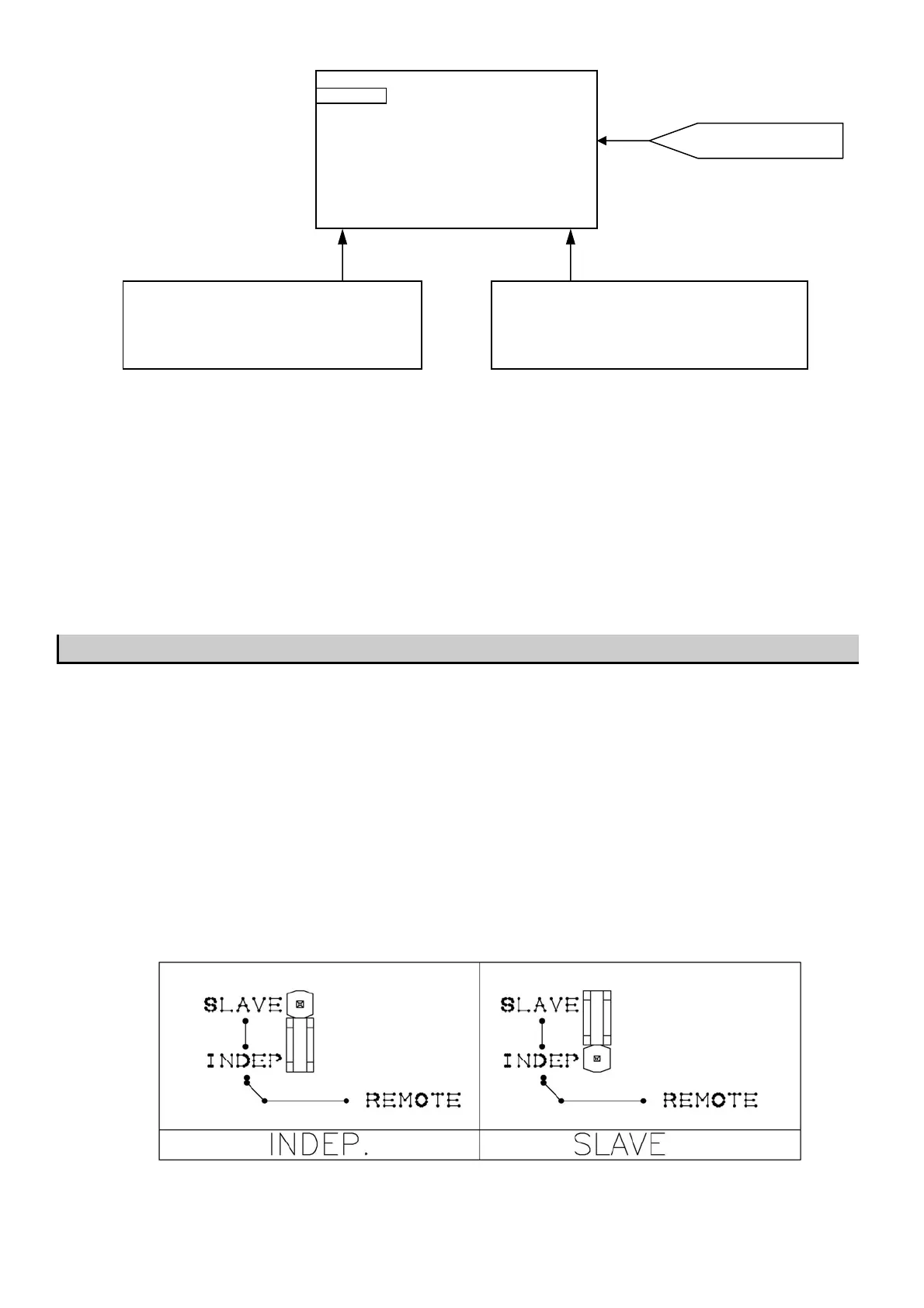
B2 and B3 controllers have one REMOTE input for each measure channel to which proximity sensor can be
connected ( see page #4 for ESELECT B2 and page #6 for ESELECT B3 ).
The proximity sensor when is inserted in the probe holder, signal the presence of water in the installation
and therefore the need to start the inspection. In order to activate the controller, the proximity sensor should be
Normally Closed.
When there is no water flow ( the contact on REMOTE INPUT is open ) than a STAND-BY alarm will shows on
the display. It is possible to use one proximity sensor for all input measure by put a short-circuit connector on
slave position as show on the following scheme. If the short circuit connector is put on INDEPENDENT position
the two REMOTE INPUTS will work separately.
Chose the parameter by press + or – keys.
Press
OK key to confirm the choice and set the
value for the parameter on right column.
Modify the value for the parameter by press + or – and
►keys. Press OK
ke
to confirm the choice and return
on left column to set an other parameter.
Alarm Menu for pH mode



 To Next Page