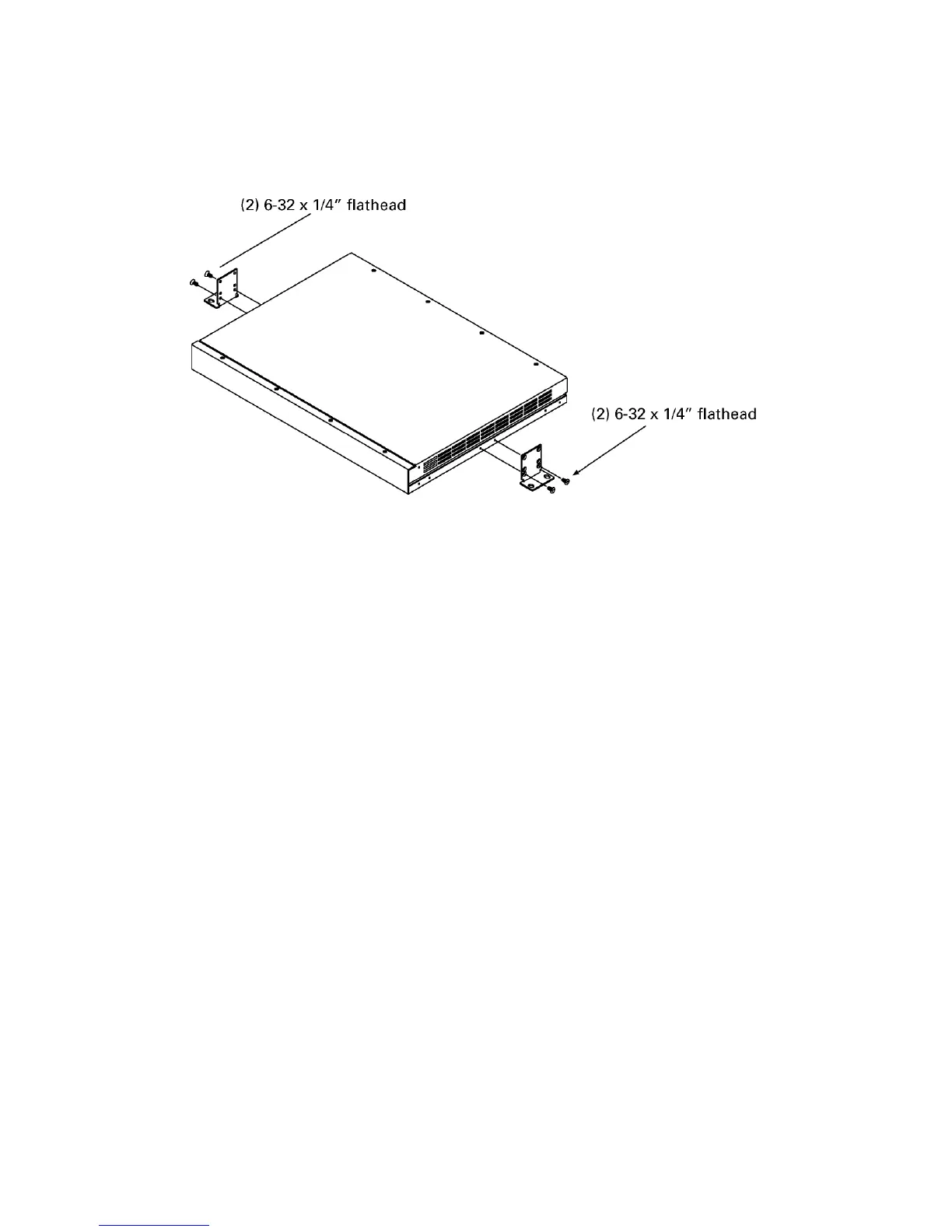
4 Mounting the LPC
Mount on a horizontal or along a vertical surface
To mount the LPC either to the top of a horizontal surface or along a
vertical surface, follow the illustrated procedure below:
1. Remove all mounting hardware from the plastic bag.
2. Securely attach the four rubber bumpers to threaded holes in the
bottom of the LPC using 4-40 x 3/8” screws.
3. Securely attach the two L-brackets to the side panels of the LPC as
shown, using two 6-32 x 1/4” flathead screws each. Choose the
bracket holes closest to its bend.
4. Place the LPC on the surface where you want it. Mark the surface
through the mounting holes in each bracket. Remove the LPC.
5. Drill holes at the marks. You will be providing the mounting screws
(and anchors if necessary), so choose a drill bit accordingly.
6. Securely attach the LPC to the mounting surface.
Mounting beneath a horizontal surface
To mount the LPC to the bottom of a horizontal surface, follow the
procedure below, with general reference to the illustration for top and
vertical mounting above:
1. Remove all mounting hardware from the plastic bag.
2. Fasten the four rubber bumpers to the top surface of the LPC with
double-sided tape (not included with LPC).
3. Securely attach the two L-brackets to the side panels of the LPC. The
brackets should be flipped 180
o
from the bracket position shown in
the illustration above, with the mounting flange facing the top. Choose
the bracket holes farthest from its bend.
4. Place the LPC on the surface where you want it. Mark the surface
through the mounting holes in each bracket. Remove the LPC.
5. Drill holes at the marks. You will be providing the mounting screws
(and anchors if necessary), so choose a drill bit accordingly.
6. Securely attach the LPC to the mounting surface.













 To Next Page