Source 4WRD II Installation and User Manual 17
Shape the Beam
You can shape the beam by using the shutters, a pattern, an optional
drop-in iris, and by rotating the barrel.
Use the Accessory Holder
The accessory holder is equipped with a spring-loaded retaining clip that
prevents color frames and accessories from falling out.
WARNING: Make sure all color frame accessories are locked
in position with the retaining clip before hanging the fixture.
1. Release the retaining clip by pushing it
sideways while gently pulling backwards.
2. Insert the color frame or accessory.
3. Lock the retaining clip by pushing
sideways while gently pushing forward.
Use a Pattern
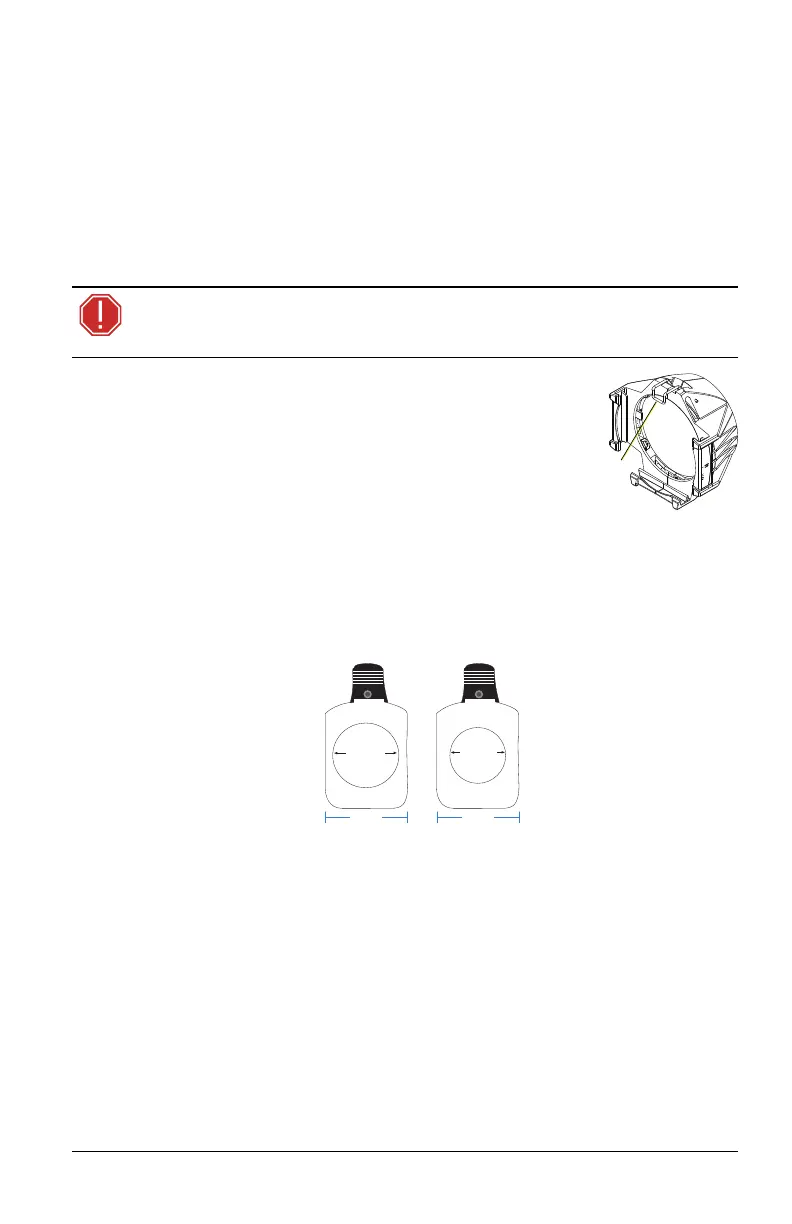
The pattern holder slot is on the top side of the barrel and in front of the
shutters. It accommodates A-size, B-size, and glass pattern holders.
Because the Source 4WRD II fixture aperture is 3 inches wide, ETC
recommends A-size patterns for maximum effectiveness.
7.93 cm
(3.12 in)
diameter
7 cm
(2.75 in)
diameter
9.4 cm
(3.7 in)
9.4 cm
(3.7 in)
A-size pattern holder:
Holds 7.6 cm (3 in)
diameter patterns
B-size pattern holder:
Holds 6.35 cm (2.5 in)
and 7 cm (2.75 in)
diameter patterns














 To Next Page