16 Source 4WRD II Installation and User Manual
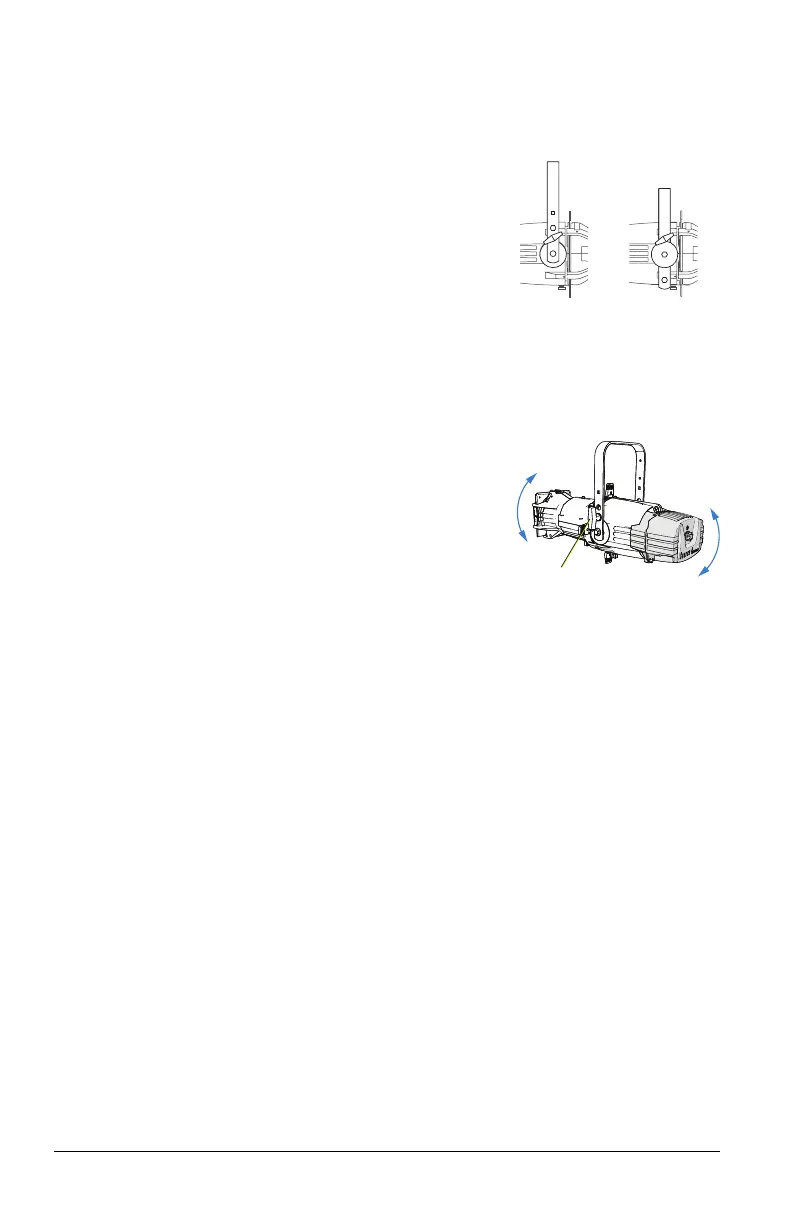
Adjust the Yoke Position
Change the Height Position
Low clearance
position
General use
position
1. Remove the yoke locking knobs,
washers, and hex bolts from either side
of the fixture.
2. Raise or lower the fixture to the desired
position within the yoke.
3. Reinstall the yoke’s hex bolts, washers,
and locking knobs.
4. Tighten the yoke knobs to secure the
yoke in position.
Set the Angle within the Yoke
1. Loosen the yoke locking knob. Do not
remove the knob.
2. Tilt the fixture to the desired position.
3. Tighten the yoke locking knob to secure
in position.














 To Next Page