APOLLO user manual
Issue G
66
Configuring parallel ports
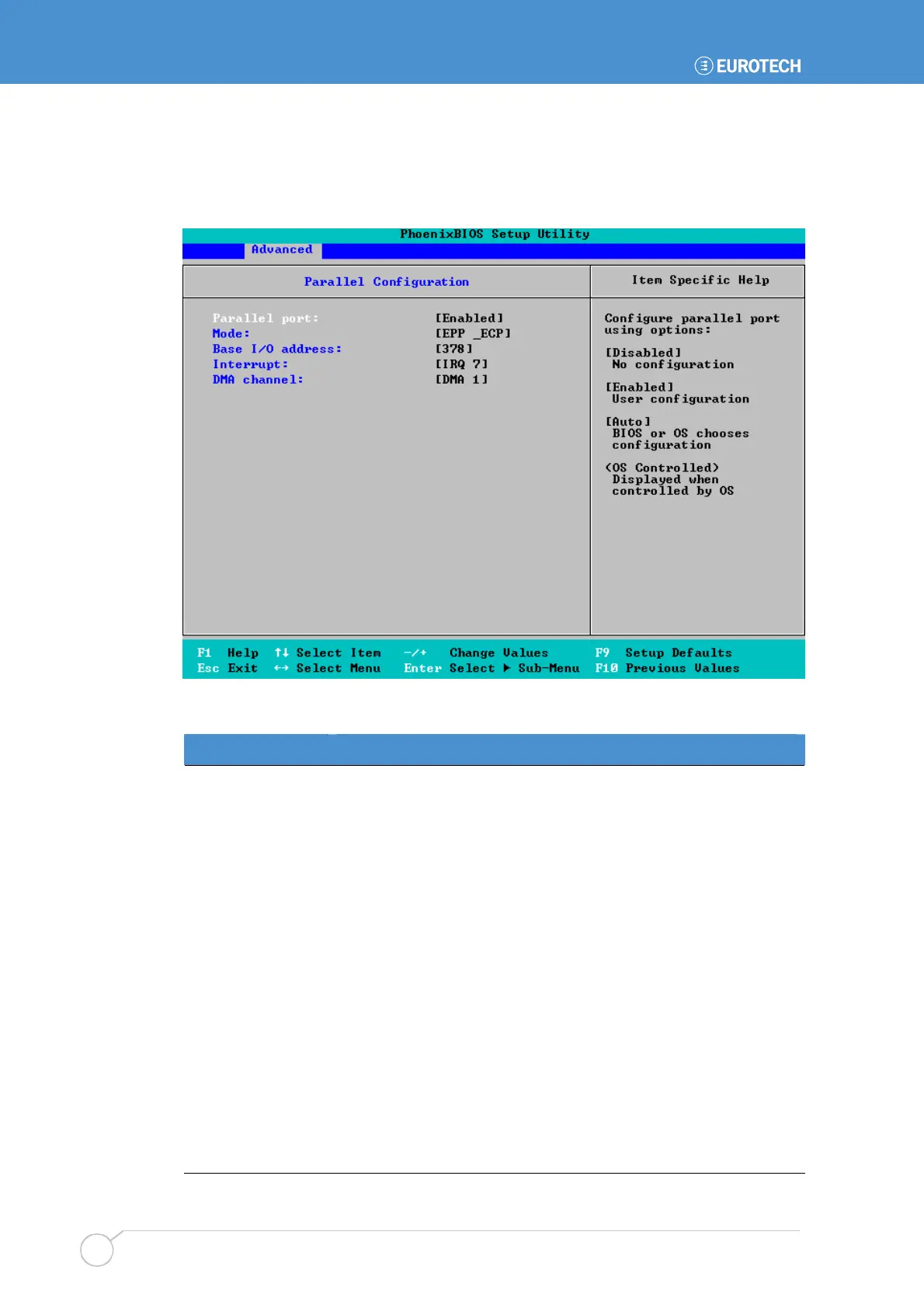
To specify parallel port configuration settings, highlight Parallel Port Configuration in
the I/O Device Configuration menu and press Enter. The following screen is displayed:
The details you are prompted to specify are explained in the following table:
Field Explanation
Parallel port
Choose how this port is to be configured. The options available
are:
•
Disabled. The port is not configured at all - it is turned off.
•
Enabled. You are going to configure the port (by completing
the following fields).
•
Auto. The port is configured automatically by the BIOS or the
operating system.
OS Controlled is displayed if configuration of the port is
controlled by the operating system.
Mode
Set the mode for the parallel port. The options you can choose
are listed in the Item Specific Help panel on the right.
Base I/O Address
Specify the I/O address to be used by the parallel port. This can
be 378 or 278.
Interrupt
Specify the interrupt line to be used by the parallel port. This can
be IRQ5 or IRQ7.
DMA channel
Set up the DMA channel for the parallel port. You can choose
DMA 1 or DMA 3.



 To Next Page