PhoenixBIOS features and setup
Issue G 67
Configuring USB ports
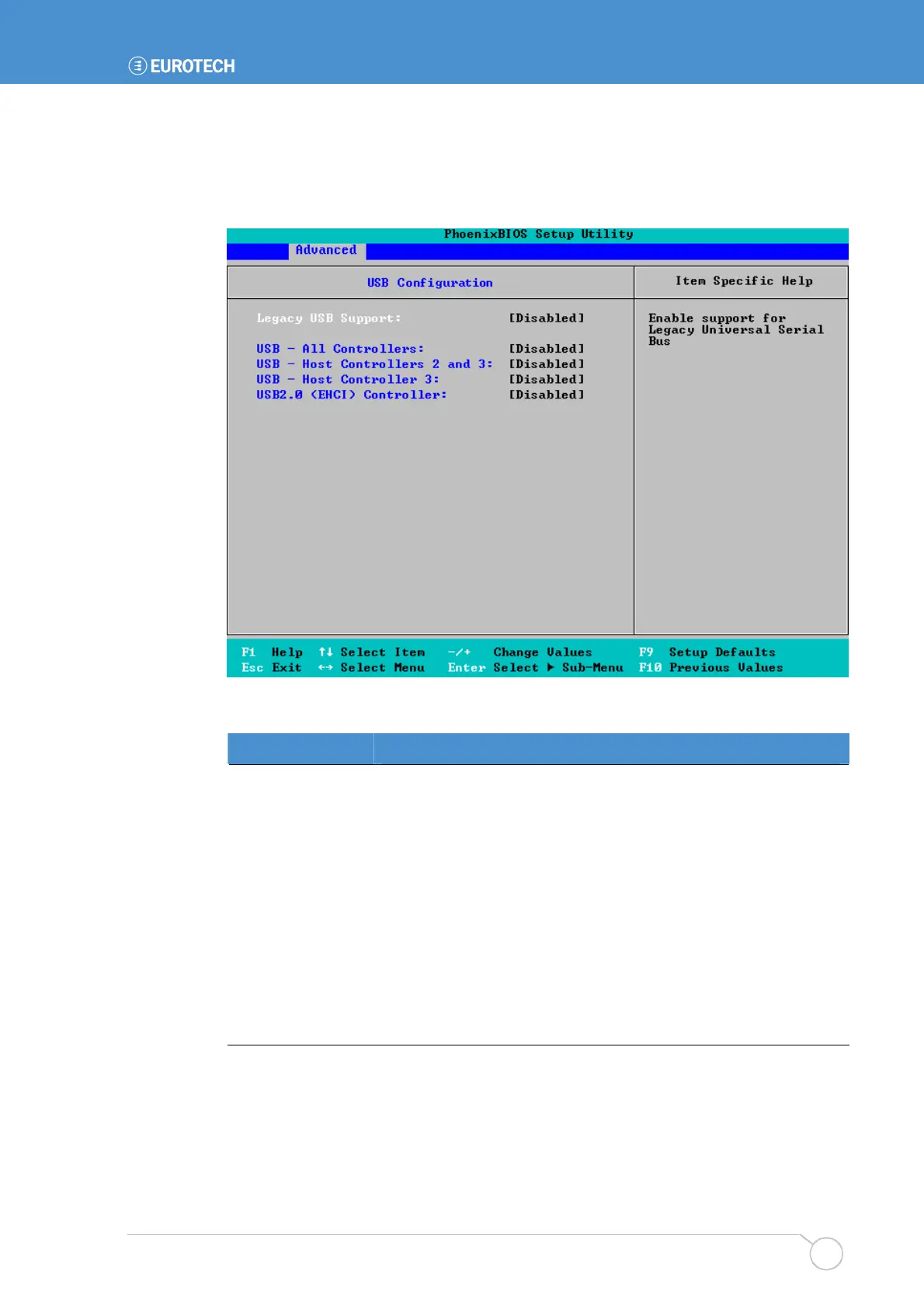
To specify USB configuration settings, highlight USB Configuration in the I/O Device
Configuration menu and press Enter. The following screen is displayed:
The details you are prompted to specify are explained in the following table:
Field Explanation
Legacy USB
Support
Choose Enabled to include support for Legacy USB.
USB – All
Controllers
Choose whether to enable or disable all USB functions.
USB – Host
Controllers 2 and 3
Choose whether to enable or disable these USB functions.
USB – Host
Controller 3
Choose whether to enable or disable this USB function.
USB2.0 (EHCI)
Controller
Choose whether to enable or disable USB 2.0 functionality.



 To Next Page