PhoenixBIOS features and setup
Issue G 75
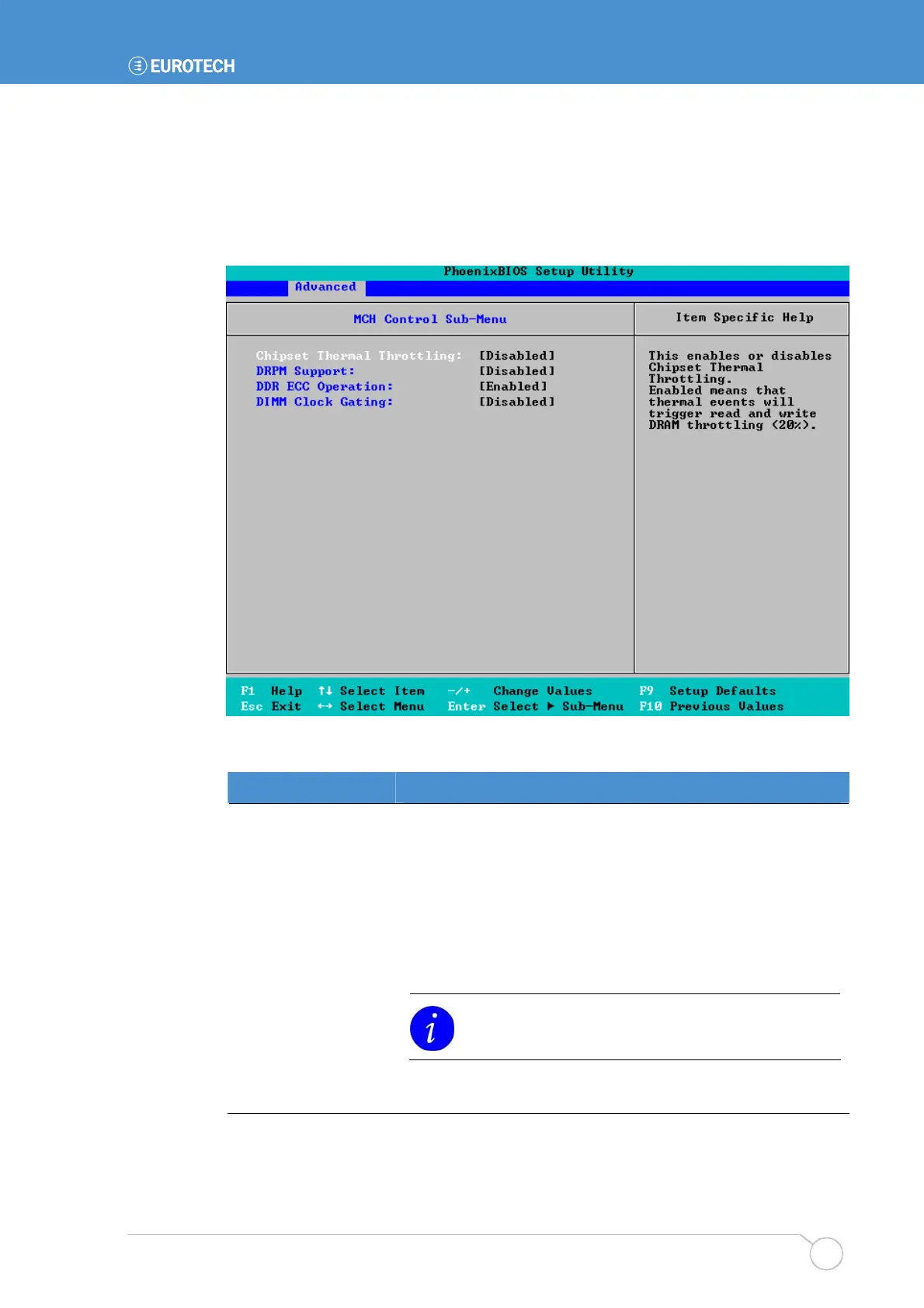
MCH control settings
You can specify settings that affect how the Memory Controller Hub operates.
To specify MCH control settings, highlight MCH Control Sub-Menu in the Advanced
menu and press Enter. The following screen is displayed:
The details you are prompted to specify are explained in the following table:
Field Explanation
Chipset Thermal
Throttling
Choose whether to enable or disable Chipset Thermal
Throttling. If you choose Enabled, thermal events trigger read
and write DRAM throttling.
DRPM Support
Choose whether to enable or disable DRPM (Dynamic Row
Power Management) support in the MCH. If you choose
Enabled, memory clocks are turned off when not in use.
DDR ECC Operation
Choose Enabled if you want the system to check SODIMMS
support before enabling ECC.
This option is not available if ECC is not supported by
the DIMMs.
DIMM Clock Gating Choose Enabled if you want to control enabling of the DIMM
Clock Gating feature.



 To Next Page