APOLLO user manual
Issue G
76
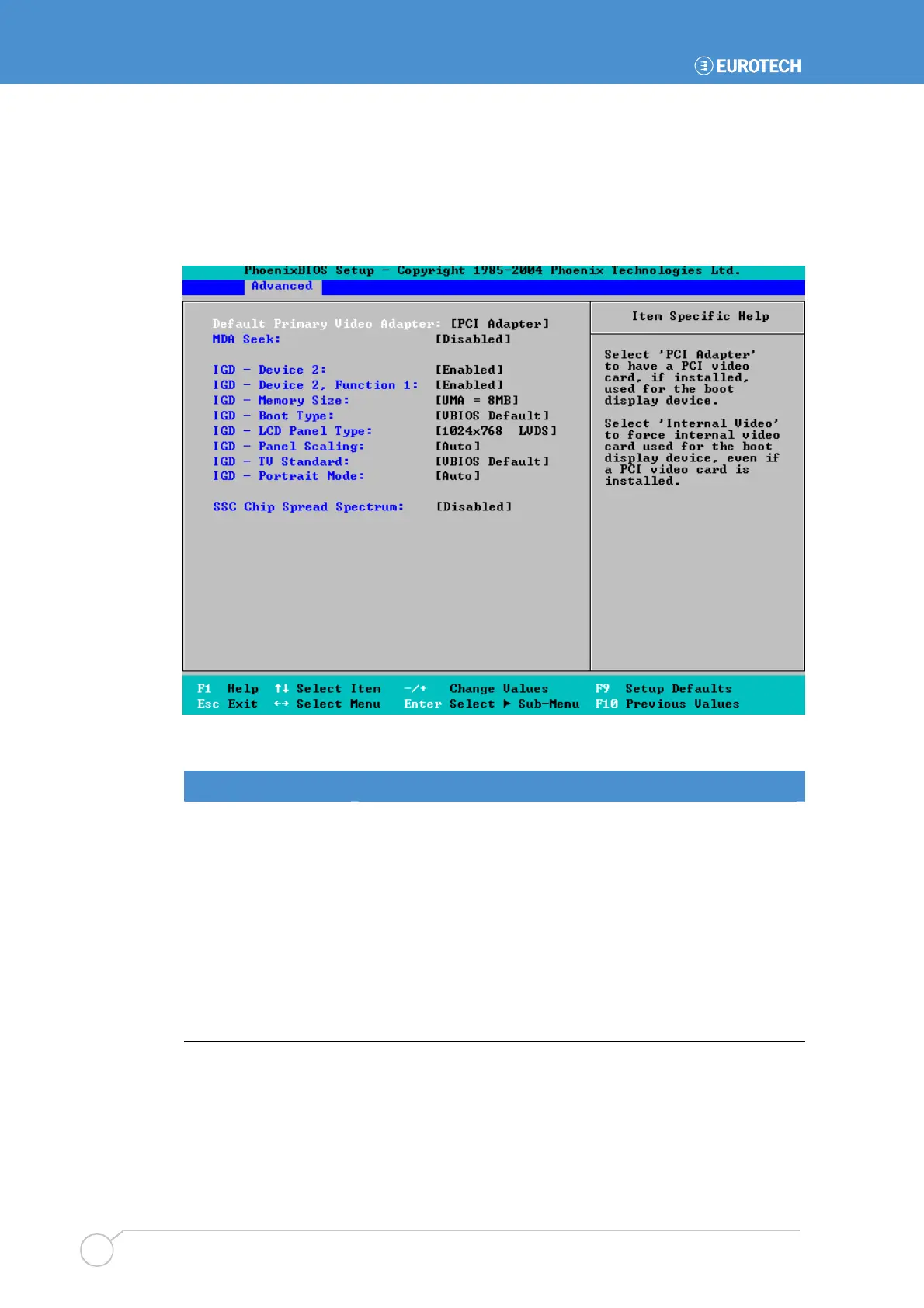
Video (Intel IGD) control settings
You can specify settings that determine how the Internal Graphics Device operates.
To specify video (Intel IGD) control settings, highlight Video (Intel IGD) Control Sub-
Menu in the Advanced menu and press Enter. The following screen is displayed:
The details you are prompted to specify are explained in the following table:
Field Explanation
Default Primary Video
Adapter
Choose the type of video card to be used for the boot display
device. You can choose PCI Video Adapter or Internal Video.
If dual monitor support is required when using a PCI Video
Adapter, the Primary Video Adapter should be configured to
use the PCI Video Adapter.
MDA Seek
Choose Enabled if you want the system to seek an MDA
video adapter during boot.
IGD – Device 2
Choose whether to enable or disable the Internal Graphics
Device.



 To Next Page