Page 23/84
December 2019W11/W12/W13 | Operation manual
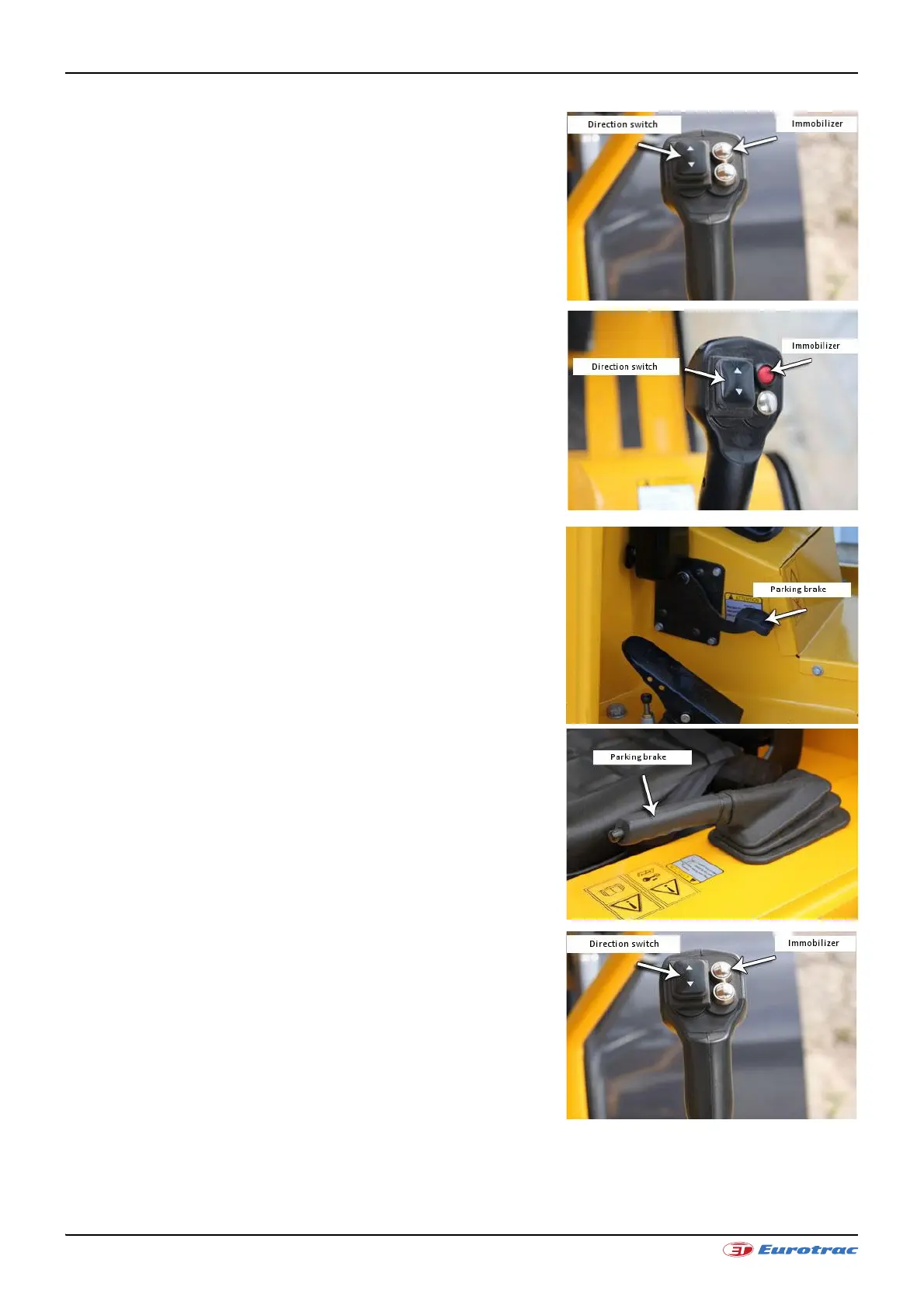
The wheel loader's direction of travel is switched using the left rocker
switch (direction switch) on the joystick.
• Central position: Driving switch is in neutral.
• Front position: The wheel loader drives forwards.
• Rear position: The wheel loader drives backwards.
• Eurotrac W11 immobilizer / Figure 1: The uppermost pressure
switch to the right of the direction switch is an immobilizer. It
must be operated every time the engine is started. The wheel
loader can only be driven after pressing the immobilizer.
• Eurotrac W12 - W13 immobilizer / Figure 2: The uppermost
pressure switch (red) to the right of the direction switch is an
immobilizer. It must be operated every time the engine is
started. The wheel loader can only be driven after pressing the
immobilizer.
3.3.5 Moving away with the wheel loader
Release the parking brake by stepping on the pedal (W11 / Figure 1)
or lower the parking brake (W12 and W13 / Figure 2) once the engine
has warmed up. The wheel loader is ready to drive.
Select the direction of travel using the direction switch. You can now
drive.
• Press the gas pedal. The wheel loader moves. The wheel loader's
driving speed is proportional to the engine revolutions.
• Low engine speed = low driving speed
• High engine speed = high driving speed
• You can select between 2 drive positions (red switch W12/W13
hare or snail)



 To Next Page