EVCO | 06.08.2021 | AZ | 21
CAN
005_c-pro3OEM_ON-OFF_Cieco_Interfaccia_001_0.1_AZ
114CP3OEE104
c-pro 3 OEM - Hardware manual
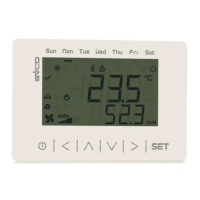
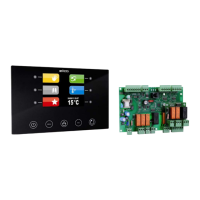
EPJgraphc-pro 3 OEM blind
Accessing the menu from EPJgraph
Key Instructions
Touch simultaneously the LEFT and ENTER keys to
access the “Network Status (CAN)” screen
Touch the UP or DOWN keys to select the correct
Node (Status “OK”)
Touch ENTER key to access the main screen
Touch UP or DOWN keys to move the menu cursor
Touch ENTER key to select the menù
Touch ON/STAND-BY key a few times to return to
the previous displays
Parameters conguration from EPJgraph
Key Instructions
Touch simultaneously the LEFT and ENTER keys to
access the “Network Status (CAN)” screen
Touch the UP or DOWN keys to select the correct
Node (Status “OK”)
Touch ENTER key to access the main screen
Touch UP or DOWN keys to select the “Parameters”
menu
Touch ENTER key
Touch UP or DOWN keys to select a parameter
Touch ENTER key
Touch UP or DOWN keys to set-up the value
Touch ENTER key
Touch ON/STAND-BY key a few times to return to
the previous displays
CAN node address setting
Key Instructions
Touch simultaneously the LEFT and ENTER keys to
access the “Network Status (CAN)” screen
Touch the UP or DOWN keys to select the correct
Node (Status “OK”)
Touch ENTER key to access the main screen
Touch UP or DOWN keys to see the “Network” menu
Touch ENTER key to select the menu
Touch ENTER key to enter the password
Touch UP or DOWN keys to set-up the password
“-19”
Touch ENTER key to conrm the password
Touch UP or DOWN keys to see the “CAN Bus” menu
Touch ENTER key to select the menu
Touch UP or DOWN keys to see the “NetworkNode”
menu
Touch ENTER key to select the menu
Touch UP or DOWN keys to set-up the node [1]
Touch ENTER key to conrm the node
Touch UP and DOWN keys to select the right arrow
“>”
Touch ENTER key
Touch ESC key few times to return to the previous
displays
The default setting of the CAN node is 1.
Operate on the remote user interface to set the
“NetworkNode” parameter to [ 1 ].



 To Next Page
 Loading...