48
Eversense XL CGM User Guide
6
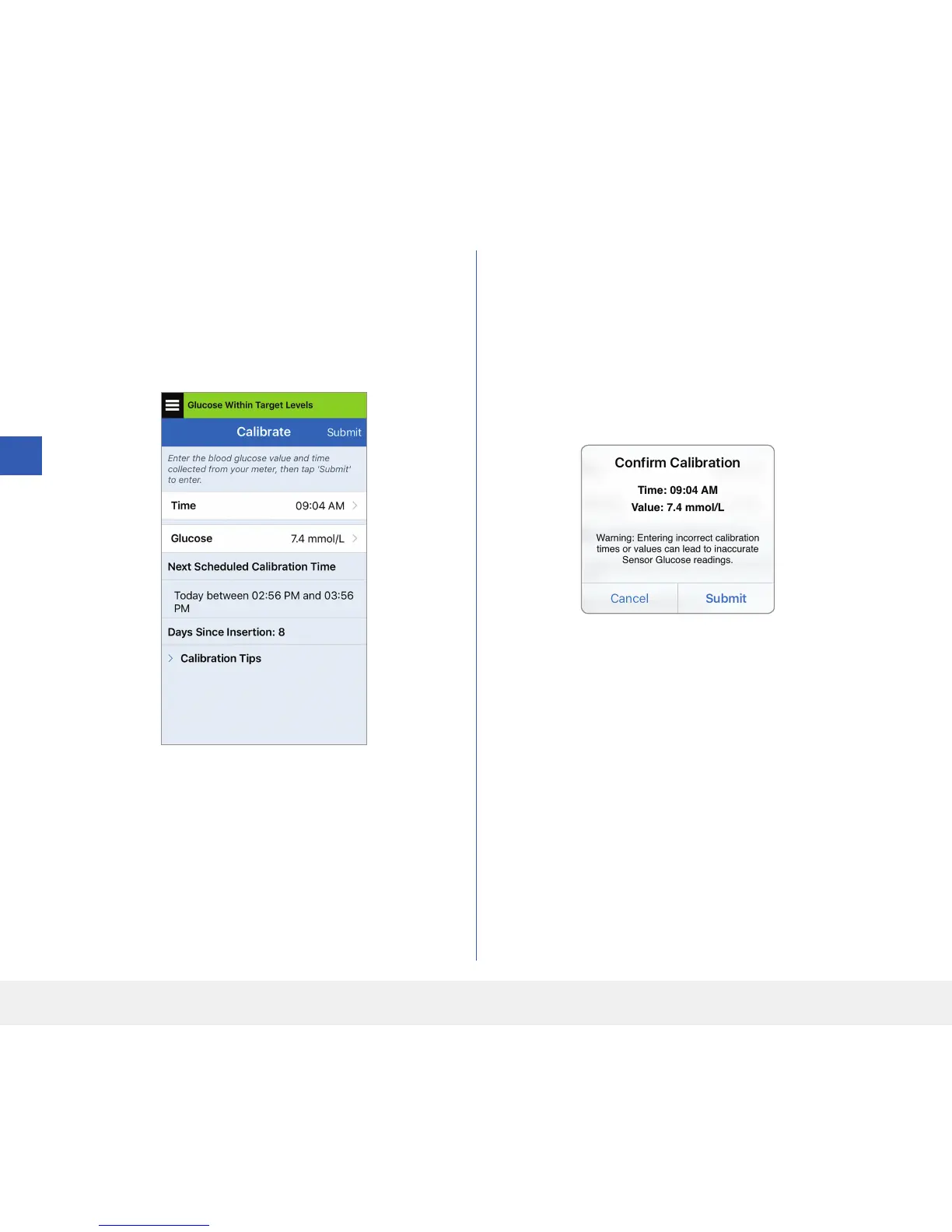
6. A CONFIRM CALIBRATION screen appears.
Make sure that the fingerstick blood glucose test
result you entered is correct.
• Tap Cancel to go back and re-enter the correct
time or glucose test result.
• When correct, tap Submit.
5. The CALIBRATE screen now shows the time
and glucose reading you entered. If not correct,
repeat steps 3 and 4.
• When correct, tap Submit.



 To Next Page