Topaz Router
Page 6 Revision 2.0
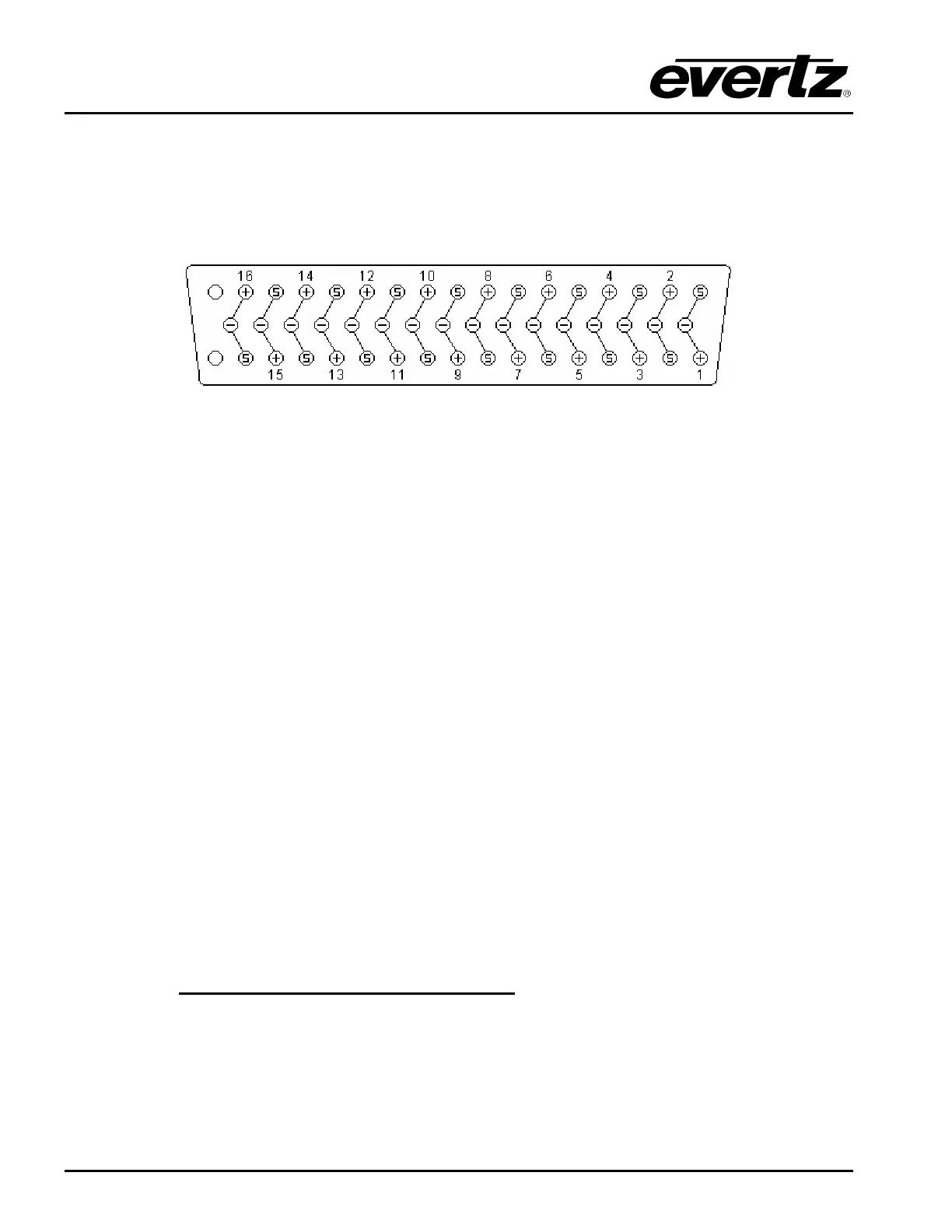
Each connector has three pins for each signal: signal hot (+), signal cold (-) and screen. Figure 2-9
below shows how the cables are wired into the mating plugs. It is good analog audio practice to earth
the cable screens at one end only, as hum can sometimes be introduced owing to earth potential
differences. However, with digital audio it is better to ground at both ends. For digital audio it is
important to use data cable with 110Ω characteristic impedance rather than audio cable. For error free
transmission, care should be taken to ensure the cable losses are acceptable over the intended length.
Figure 2-9: Audio Connector Wiring
2.3.4. Remote Control - using Q-link
All Topaz routers can be connected to other Quartz standard routers and standard remote control
panels by a single coaxial link called Q-link. This link uses standard 75Ω video cable daisy-chained
from frame to frame and from panel to panel over a maximum cable length of 500m. Each end of the
link must be terminated in 75Ω. The installer must fit a 75Ω terminator at each end of the cable. A
pair of looping connectors is fitted on each unit.
This daisy-chain method ensures the best transmission quality of the control signals down the cable.
Shortcuts that might save cable, such as running stubs to some panels, are not recommended as this
may under certain circumstances cause data errors.
The system can support up to 32 devices. Each unit being connected to the Q-link has its own address
switch, which is set up as part of the system configuration.
2.3.5. Ethernet Port
The Ethernet port will support TCP/IP protocol and can be used for the following functions:
• Setup download from WinSetup using TCP/IP protocol
• Router Control using TCP/IP protocol
2.3.6. RS232/422 Serial Port
The D9 connector on the rear of the router is always functional. The router has three rear panel DIP
switches to set some of the serial port modes:
DIP Switch Function
SW-1
Down/Off = Use WinSetup parameters to set the baud rate, etc
Up/On = Force Quartz standard protocol and baud rate
SW-2
Down/Off = Remote control protocol mode
Up/On = Diagnostics mode
SW-7
Down/Off = RS-422
Up/On = RS-232



 To Next Page