Topaz Router
Page 26 Revision 2.0
(4) Destinations: Enter the destination dialog and set up the destination names in the same
way as used for the source names.
(5) Panels: Enter the panels dialog and use the new button. This will show all Quartz
panels listed by part number. Select the part number that matches the part number on
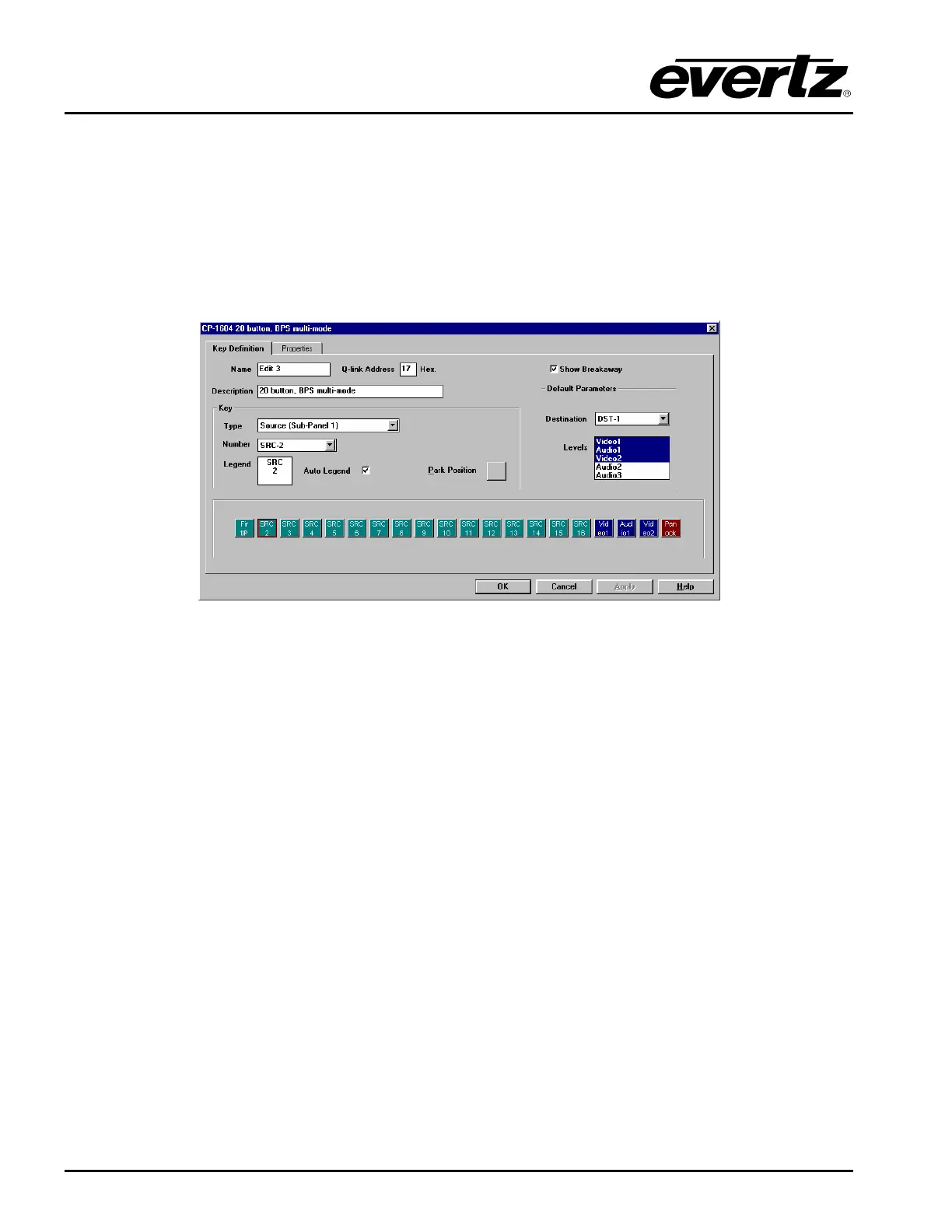
the panel’s serial number label. A new dialog will appear showing a graphic of the
panel.
Figure 5-5: Key Definition Tab
Each button can be programmed by selecting the button and then editing the functions in
the Key section of the dialog. Each panel should also be given a name for later
identification; EDIT 3 is the name used in the above example. The Q-Link address will be
allocated automatically by the program but can be edited if required. The default
parameters control how the panel will function at power up, in this example the panel will
always control DST-1 to start with. Now add any further panels that the system will need.
(5) Download: Use the System menu, Download-to-Router, to transfer the setup data to the
router, having first set the correct COM port and baud rate (normally 38400). Remember
to save the setup as it can NOT be retrieved from the router.



 To Next Page