29
8.0 Malfunctions
8.3.1 Cleaning
8.3.1.1 Cleaning of THG, TLG, TLT1
1. Turnopillarandsecureagainstrestart.
2. Clean dirty parts with a damp, lint-free cloth.
8.3.1.2 Cleaning of TLT2
1. Turnopillarsandsecureagainstrestart
2. Clean dirty parts with damp , lint-free cloth
3. Secure that no liquids can enter or come in contact with
the electronic parts (motor, printed circuit boards, wiring)
and dos not enter into the pillar.
8.3.2 Visual inspection
1. Turnodeviceandsecureagainstrestart.
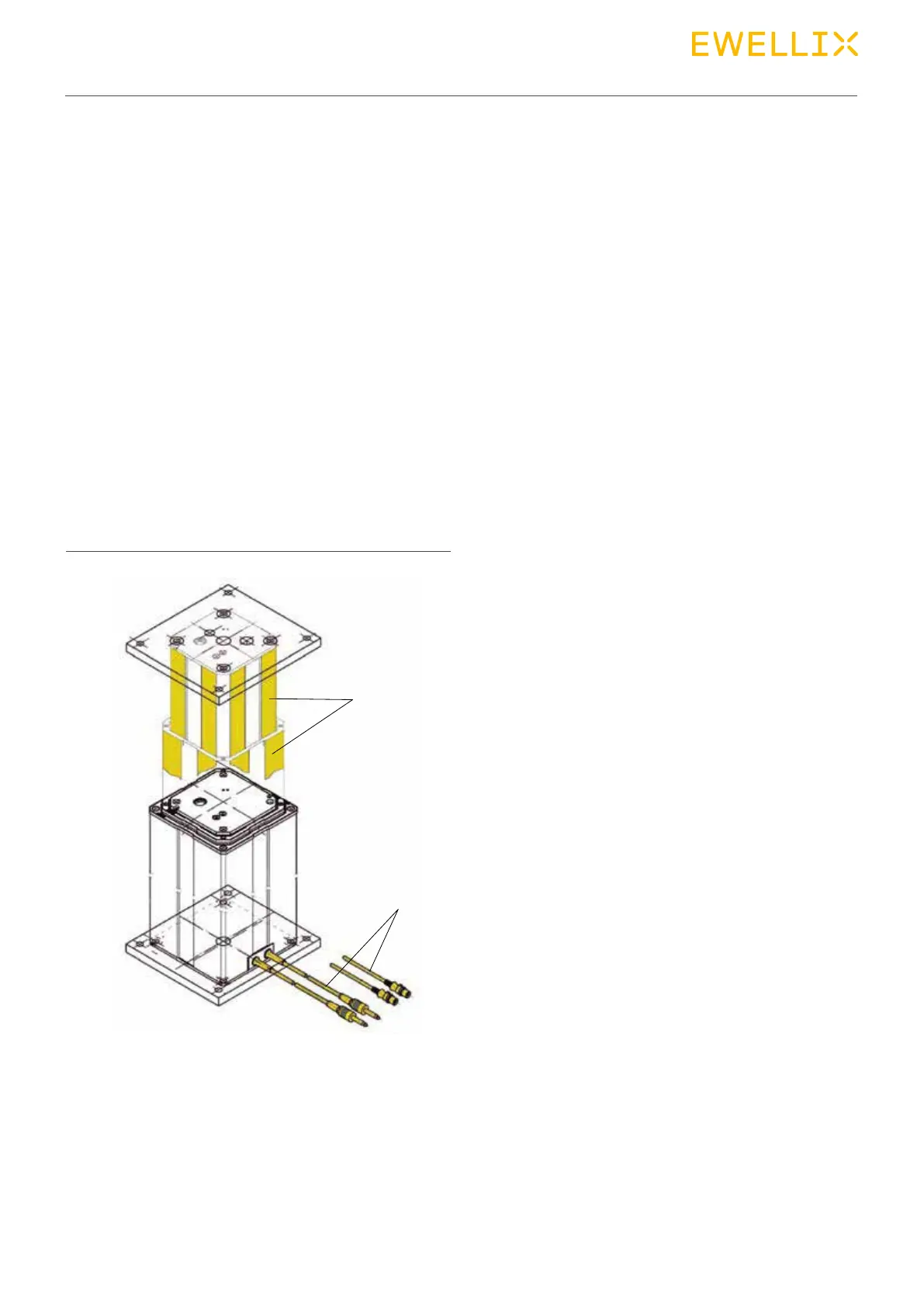
2. Check the following components (⮑ g. 31).
• Guiding tubes (1) for scratches, bumps, cracks and gaps .
• Connection sockets for visible exterior damage.
• In case of damage, contact manufacturer
(For address ⮑ Cover page).
Fig. 31
Visual inspection
1. Guiding tubes
2. Connecting cable for jack or DIN8 plug
1
2
3. Relubricate the sliding surfaces if necessary (please con-
tact Ewellix).
4. In case of damage, inform the person responsible for fur-
ther machining or the manufacturer.
8.4 Actions after
maintenance has been
completed
After completing the maintenance work and before operat-
ing the device, carry out the following steps:
1. Check that all previously loosened threaded connections
are tight.
2. Check that all previously removed safety devices and
covers have been replaced properly.
3. Check that all tools, materials and other equipment used
for maintenance have been removed from the work area.
4. Clean the work area and remove any substances which
may have escaped, such as liquids or processing material.
5. Ensure that all the appliance’s safety devices are com-
pletely functional.
6. Document the inspections and maintenance in the ser-
vice log.


 To Next Page