--------------------------------------------------------------------------
3.2 Basic Command
3.2.1 Enter into System Programming Status
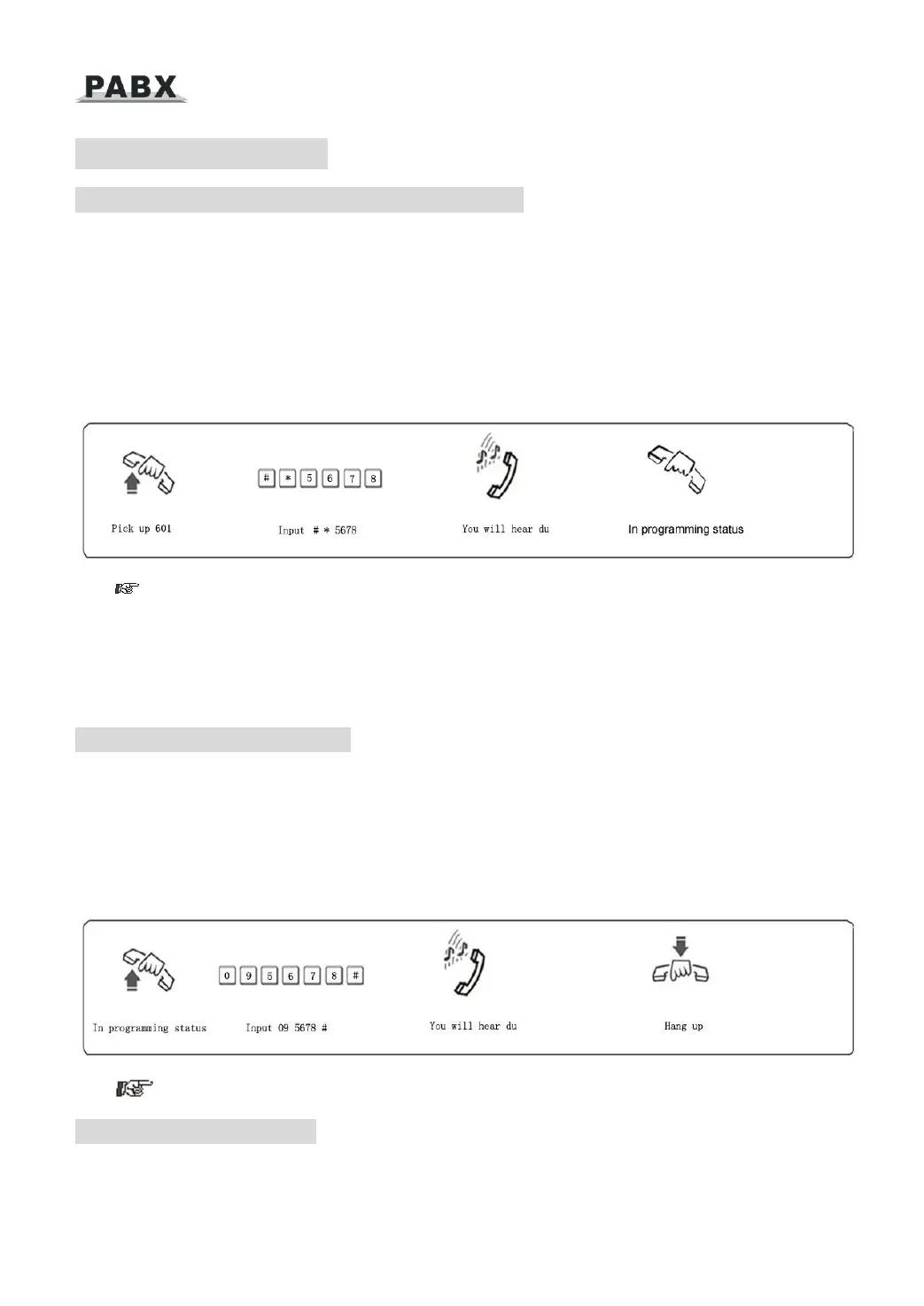
Format: # * EFGH
Explanation: EFGH is the system password, the default password is 0000, heard “DU” into
the programming status, if input wrong password, you can input the password again when
heard the wrong indicate voice (don’t need input # *)
Example: For programming the system, you should enter the password first, now the
password is 5678
When the extension is in direct-dial-out mode, should be input * # * EFGH into system
programming status; default setting the extension is in indirect-dial-out mode, if extension dial
out, should dial the dial-out number 9 and then can dial out, so you also can set the extension
into direct-dial-out mode and then don’t need the dial-out number.
3.2.2 Change the Password
Format: 09EFGH#
Explanation: EFGH is the new system password.
Description: to change the password of system programming.
Example: Changing the system password from “0000” to “5678”
1. We suggest changing the password before using.
3.2.3 System Soft-Reset
Format: 0 9 9 9 9 9 9 9 #
Description: to reset the system when the system power on.



 To Next Page