Operating the Optical Switch
30 Optical Switch
Installing the RTUe-9110/RTUe-9120 External Switch in a Rack
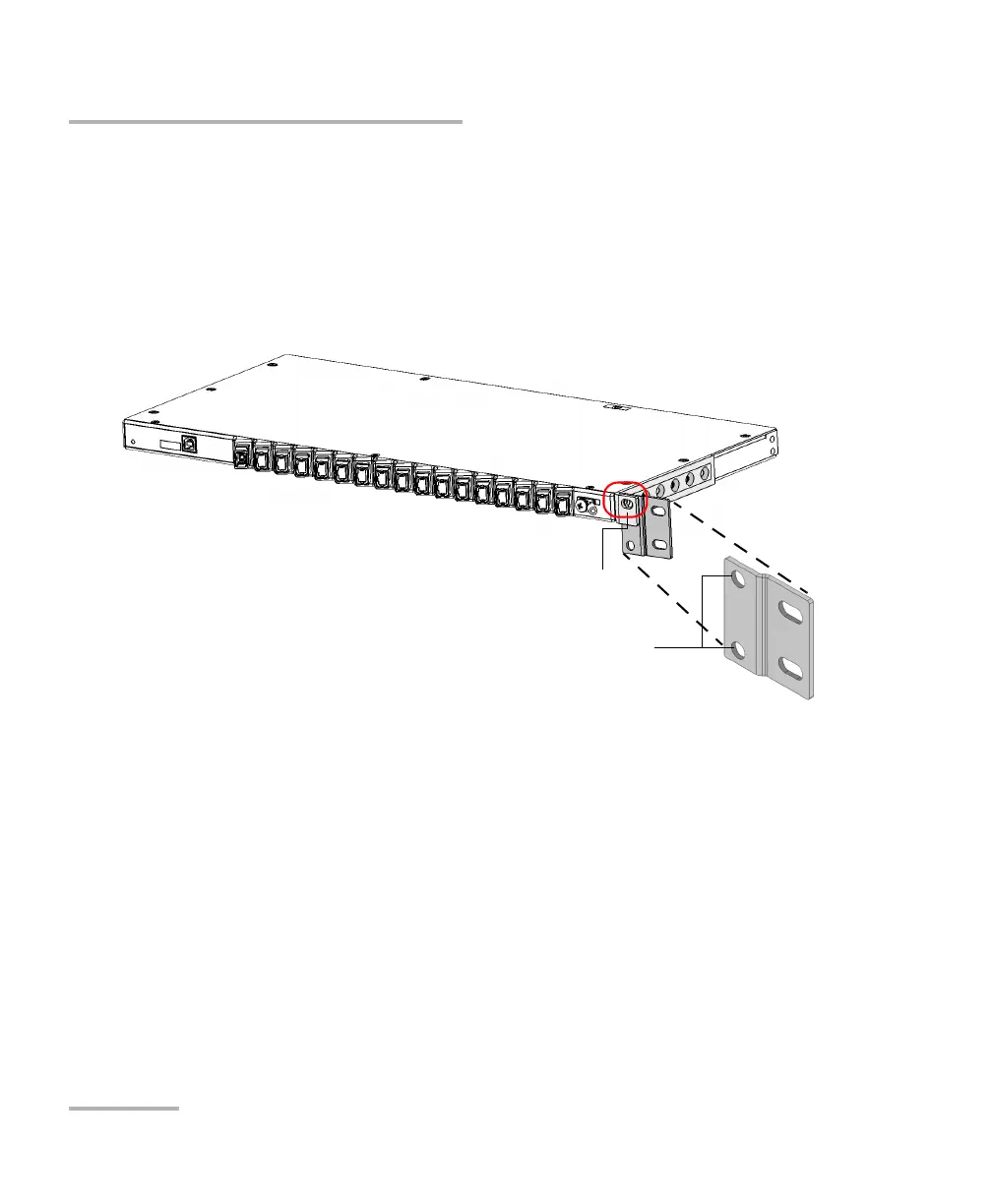
6. If you have a 21-inch (ETSI) rack, install the adapters as follows:
6a. Align one of the round holes of the adapter with the screw hole of
the mounting bracket previously installed on the switch. You can
use the adapter’s top or bottom round hole, depending on your
installation needs.
Note: To better suit your installation needs, you can flip the orientation of the
adapter, as long as you use one of its round holes to attach it to the
mounting bracket.
RTUe-9120 - Adapter in standard position
Adapter’s round screw holes
Mounting bracket with its screw hole



 To Next Page