Operating the Optical Switch
Optical Switch 37
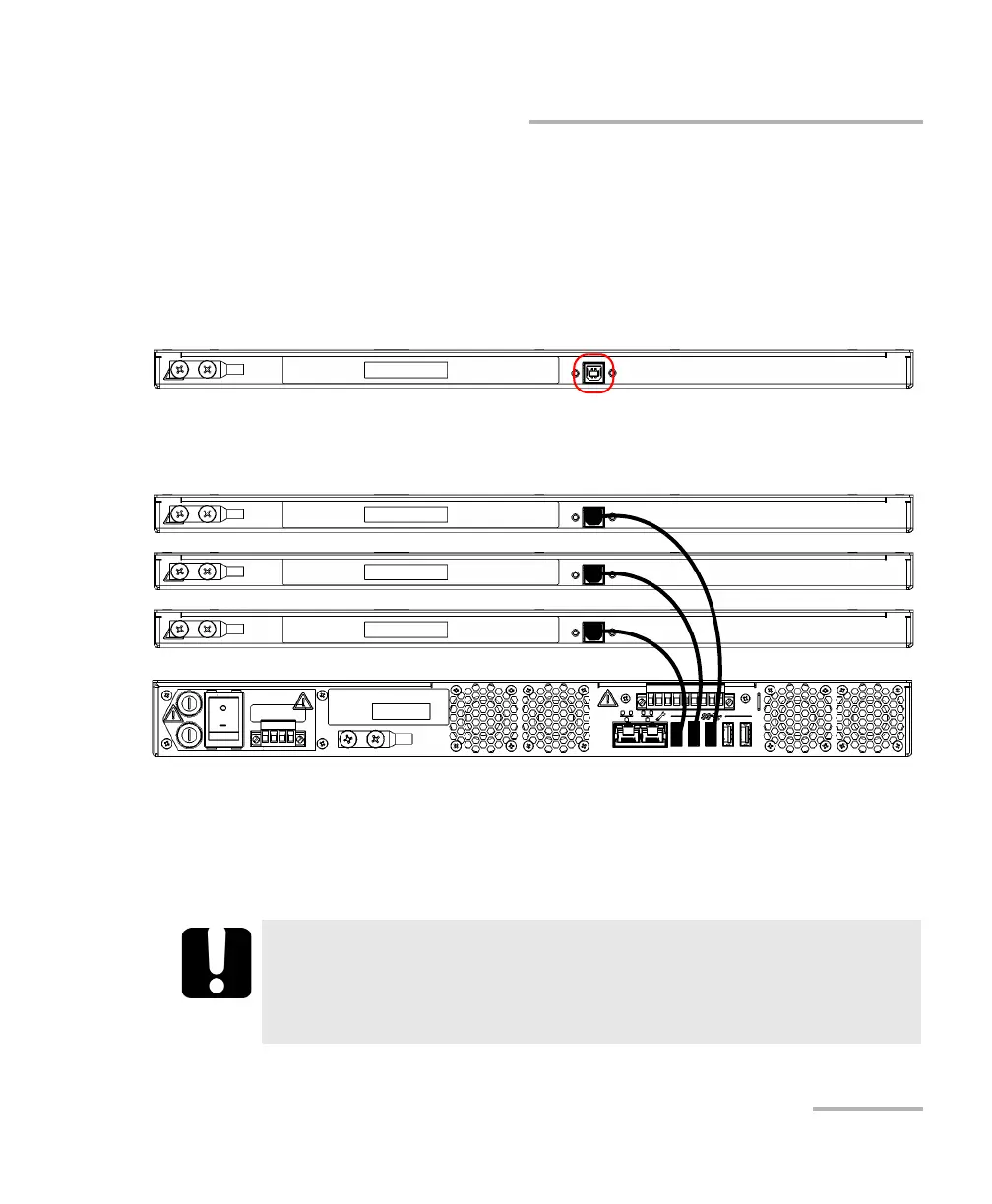
Connecting RTUe-9110 External Switches to the RTU-2 Unit
To connect several RTUe-9110 switches to your RTU-2 unit
(cascading):
1. Ensure that all the switches are connected to the RTU-2 unit with the
provided USB cables as follows:
1a. Connect the provided USB cables to the USB ports (B type)
located on the back panel of each switch that you want to use.
1b. Connect the other end of the USB cables to one of the USB ports
located on the back panel of the RTU-2 unit.
2. Clean and inspect the patchcords that you will be using to connect the
RTUe-9110 switches between them.
3. Clean and inspect the ports (connectors) of the RTUe-9110 switches.
For more information, see Cleaning LT Connectors on page 68.
IMPORTANT
For optimum results and to avoid affecting the power budget of
the signal, always use the upgrade ports to connect switches to one
another.



 To Next Page