EasyManua.ls Logo

EXFO FVA-3100 - Front Panel

EXFO FVA-3100
128 pages
Print Icon
To Next Page IconTo Next Page
To Previous Page IconTo Previous Page
Loading...
Introducing the FVA-3100 Variable Attenuator
2 FVA-3100
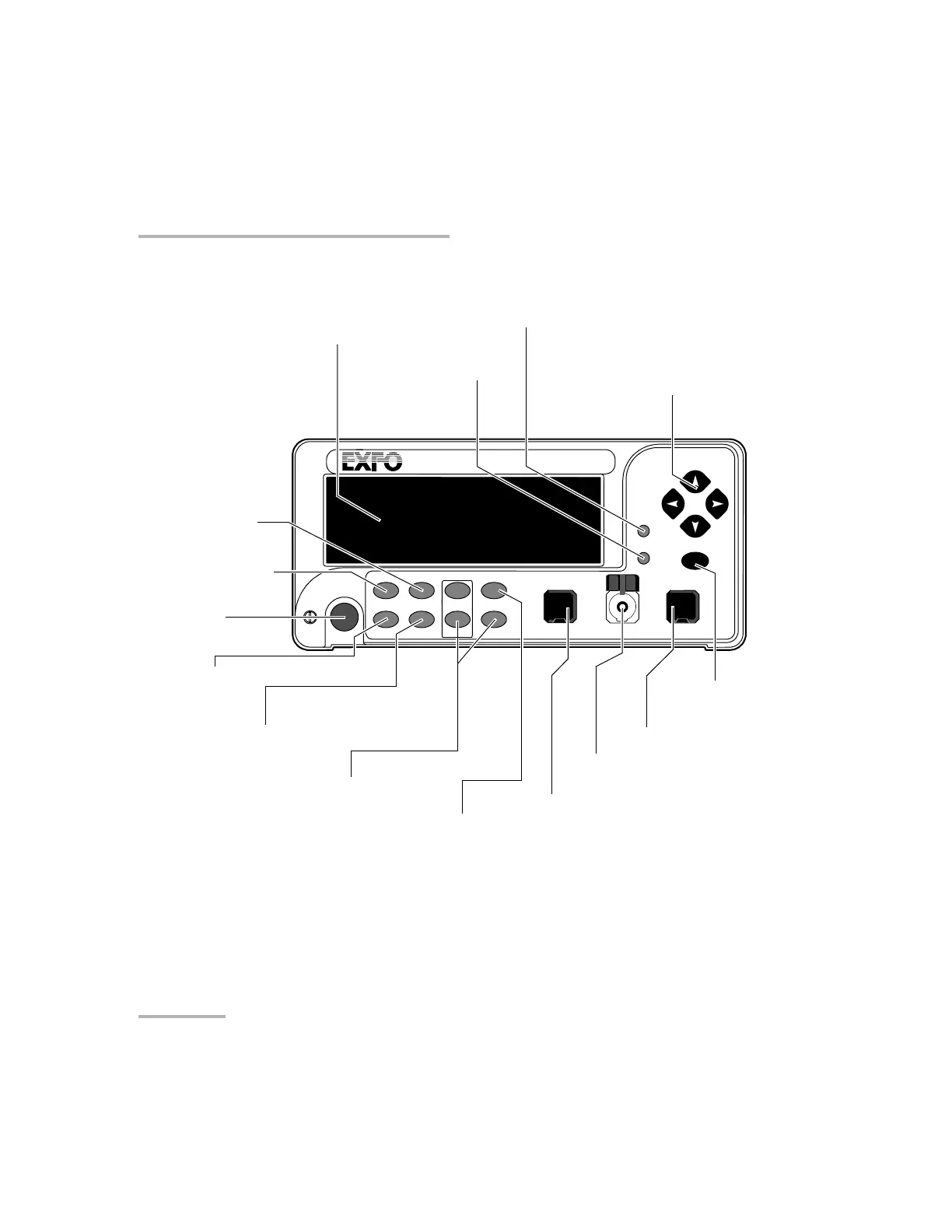
Front Panel
Front Panel
Note: Your FVA-3100 Variable Attenuator may differ slightly from the illustration
depending on the specific model of your unit.
VARIABLE ATTENUATOR
FVA-3100
Offset
ENTER
Abs Up Shutter
Ref
λ
Down Attenuation
Program
Setup
Output port
Offset mode access
Reference mode access
Confirmation
button (Enter)
Absolute mode access
Wavelength control
Arrow buttons for
menu navigation and
parameter setting
Program menu access
Monitor port
(BM and DM models only)
On/off button
Display
Shutter control
Attenuation controls
Step
In Monitor Out
Input port
Setup menu access
Shutter
Artisan Technology Group - Quality Instrumentation ... Guaranteed | (888) 88-SOURCE | www.artisantg.com

Table of Contents

Related product manuals