Getting Started with Your Unit
Optical Test Head 27
Connecting Your Unit to a Power Source
7. Tighten the four screws located at the top of the terminal block to
secure the wires in place.
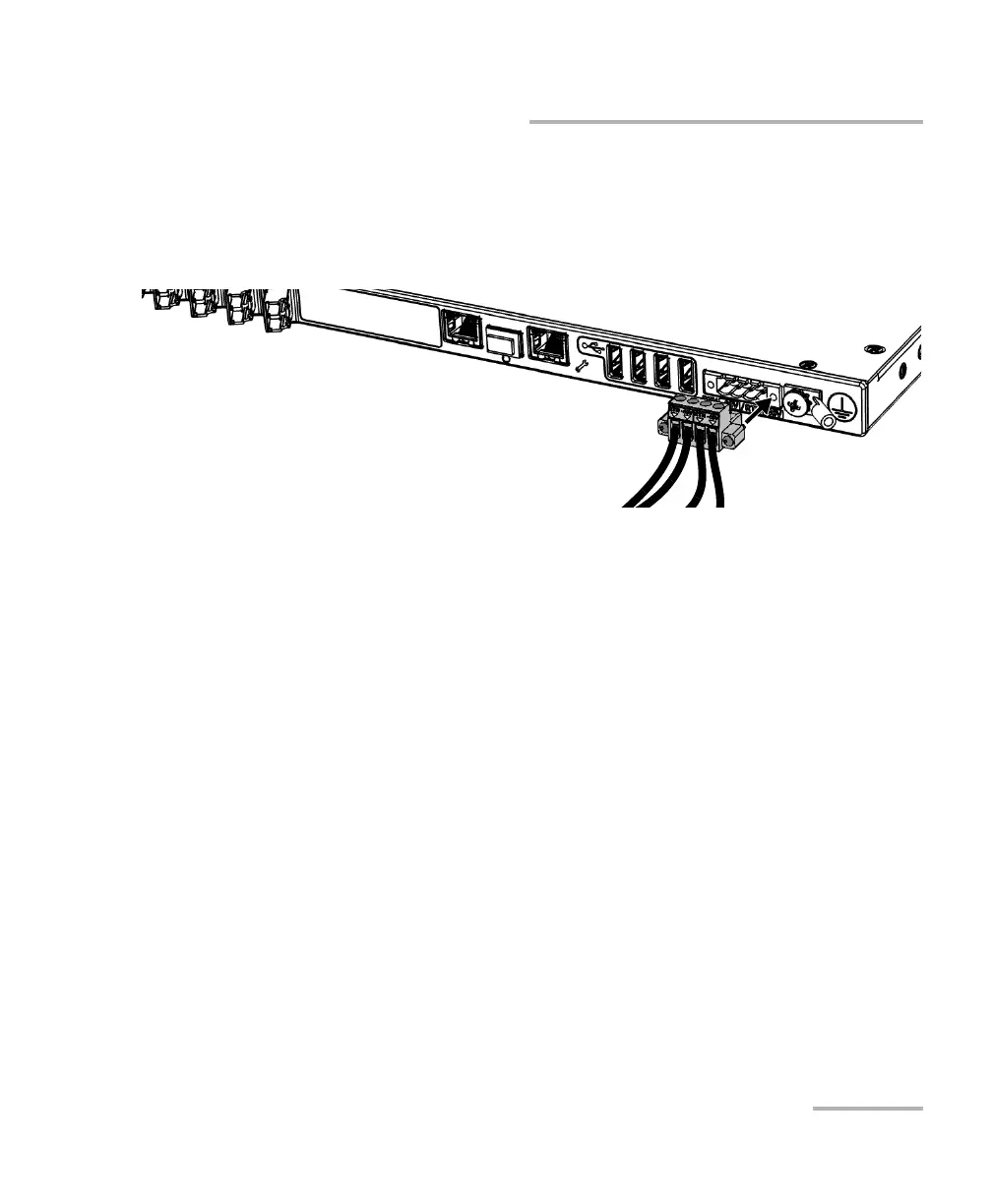
8. Ensure that the terminal block is aligned properly with the bay
containing the electrical connectors.
9. Slide the terminal block all the way into the bay until it stops.
10. Screw the two screws to secure the terminal block in place.
11. Turn on the disconnect device that is connected to the unit.
The unit will start automatically.













 To Next Page