Getting Started with Your Unit
Optical Test Head 37
Working With Your Unit for the First Time
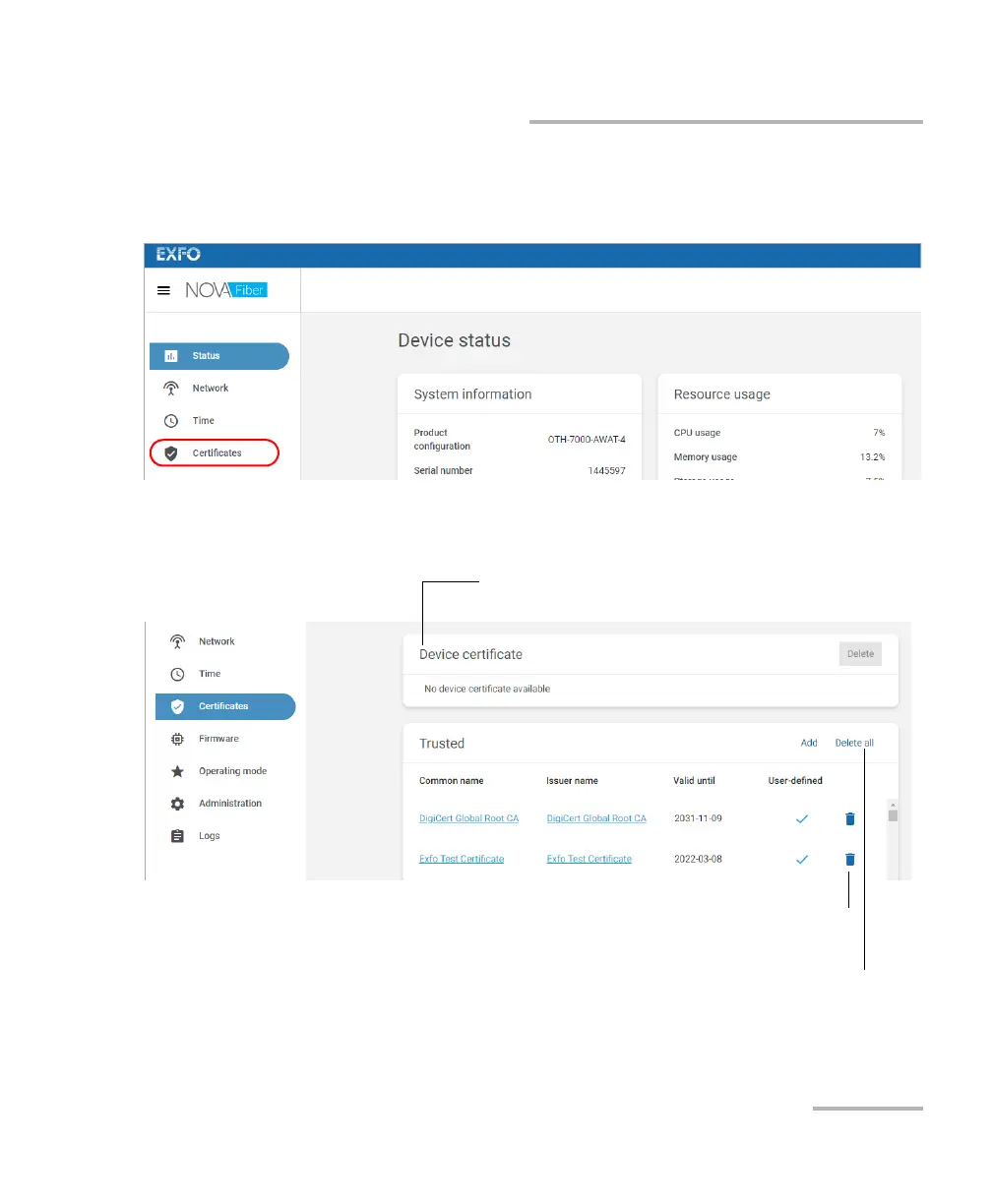
11. Configure the list of trusted certificates as follows:
11a.From the list, select Certificates.
11b.Click Add to add a trusted certificate to the list. The certificate file
that you provide must be in PEM format.
11c. Follow the instructions on screen.
Identifies your unit so that it can be seen as
“trusted” by FMS
To delete a specific trusted certificate
from your unit
To delete all trusted certificates from
your unit













 To Next Page