Troubleshooting
Optical Test Head 53
Restoring Your Unit to Normal Operation
To restore your unit to factory state with the Nova Fiber
application:
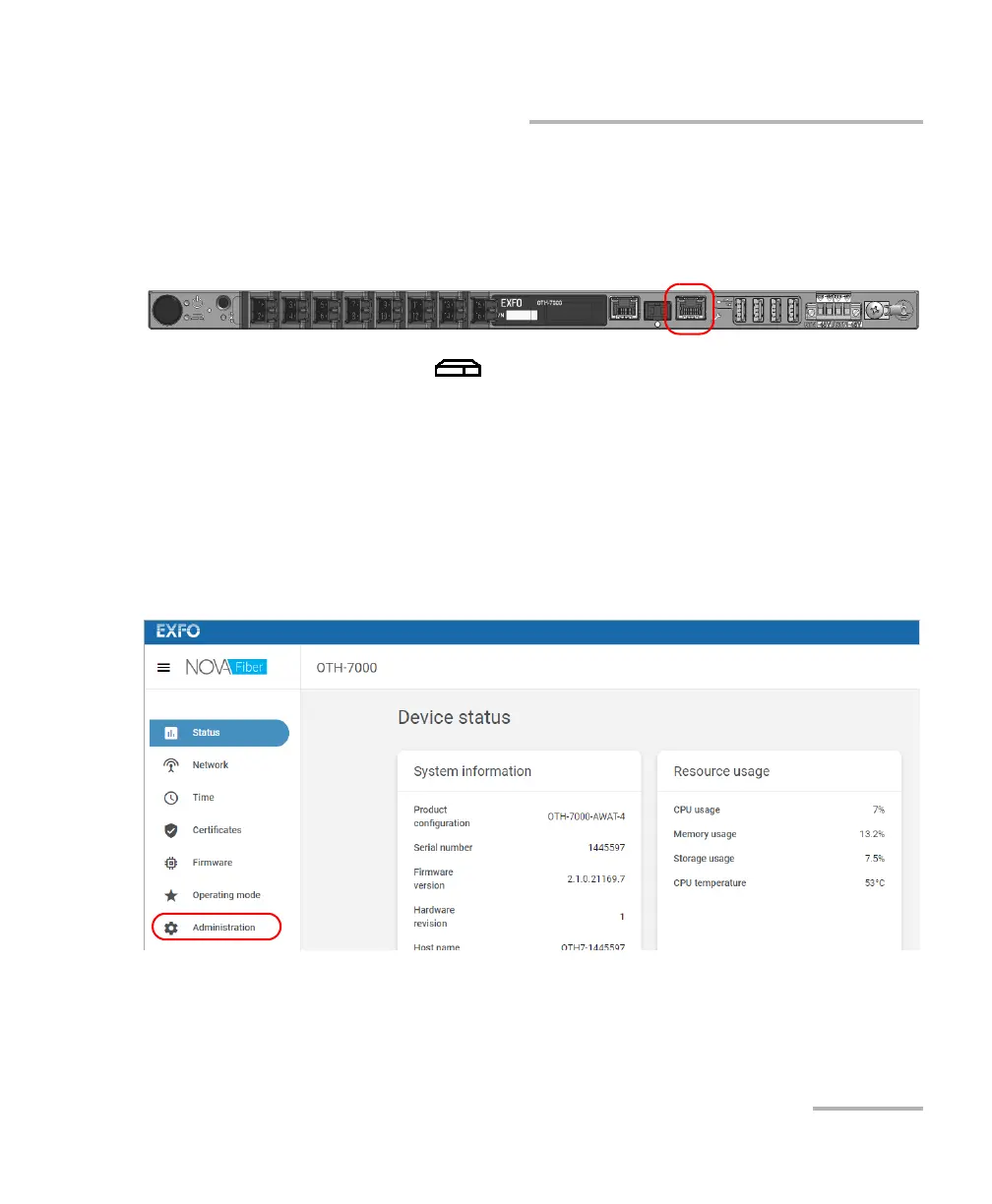
1. Connect one end of a network cable to the management port of your
unit and the other end to an Ethernet port on the computer.
2. As soon as the (System) LED is steady green, from your
computer, open a Web browser and type 169.254.10.10 in the address
bar to access the Nova Fiber application.
Note: It may take a few seconds before you can see the Nova Fiber application if
your computer needs to reconfigure its network to a link-local address first.
3. When the application prompts you, enter your connection information.
4. From the list, select Administration.













 To Next Page